What Does Gain Mean on Projector Screens?
Screen gain determines how much light a projector surface reflects back to viewers. Mastering this metric ensures optimal image brightness and contrast in your custom media room.
Screen gain is a relative optical multiplier where 1.0 gain represents a standard matte white reference, while higher numbers boost central brightness and lower numbers preserve contrast.
Ready to compare verified models? Start with our Best Gain For Projector Screen: Brightness Guide.
Quick Reference Guide for Screen Gain Applications
| Screen Gain Type | Target Environment | Ideal ANSI Lumens | Key Performance Trade-Off |
|---|---|---|---|
| 0.8 Gain (Negative) | High ambient light living rooms | 2500 - 4000+ Lumens | Improves black levels, narrows viewing cone |
| 1.0 Gain (Reference) | Dark, bat-cave home theaters | 1500 - 2500 Lumens | Zero color shift, perfect 180-degree dispersion |
| 1.3 Gain (Standard) | Light-controlled media spaces | 1200 - 2000 Lumens | Slight center brightness boost, mild hot-spotting risk |
| 1.5 - 2.5 Gain (High) | Large auditoriums or ambient light | Under 1500 Lumens | Severe viewing angle drop, pronounced hot-spotting |
| ALR Gain 0.9-1.2 | Dedicated rooms with white walls | 2000 - 3500 Lumens | Rejects ceiling light, preserves off-axis uniformity |
| Acoustically Transparent | Dedicated home theaters | 1800 - 3000 Lumens | Weave texture sacrifices minor high-frequency sharpness |
The Fundamental Physics of Projector Screen Gain
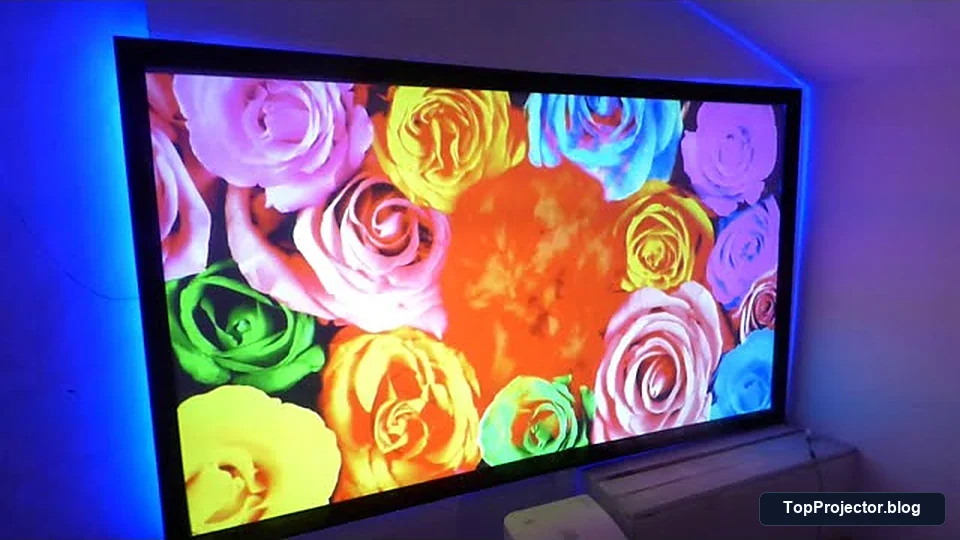
Projector screen gain measures the reflective efficiency of a projection surface compared to a standard magnesium carbonate baseline. A rating of 1.0 gain reflects light uniformly in all directions like a Lambertian diffuser.
Surfaces rated below 1.0 absorb ambient light to improve contrast ratios in bright rooms. Conversely, surfaces rated above 1.0 use glass beads or metallic flakes to concentrate reflected light toward the primary seating area.
Understanding this optical foundation helps you balance projector brightness against room geometry. Using our screen size and viewing distance calculator ensures you avoid severe visual artifacts and washed-out shadows.
- Gain is a relative measurement against a standard reference white material.
- Standard matte white surfaces register an exact 1.0 gain rating.
- High gain surfaces reflect more light back along the projection axis.
- Low gain materials absorb stray room light to deepen perceived black levels.
How Optical Coatings Alter Light Dispersion
Manufacturers apply specialized chemical coatings and microscopic textures to manipulate outgoing light vectors. These microscopic engineering techniques allow manufacturers to steer light beams precisely where seated viewers need them.
Without these optical treatments, native projector output would scatter wastefully across non-viewing zones. Specialized coatings ensure maximum ANSI lumen utilization in challenging residential spaces.
- Glass bead coatings retro-reflect light directly back to the lens axis.
- Metallic flake mixtures enhance horizontal reflection while suppressing vertical scatter.
Standard Testing Methodologies and Industry Metrics
Testing laboratories measure screen gain using calibrated photometers positioned perpendicular to the projection surface. Technicians compare the reflected luminance of the test screen against a certified reference standard under strict laboratory conditions.
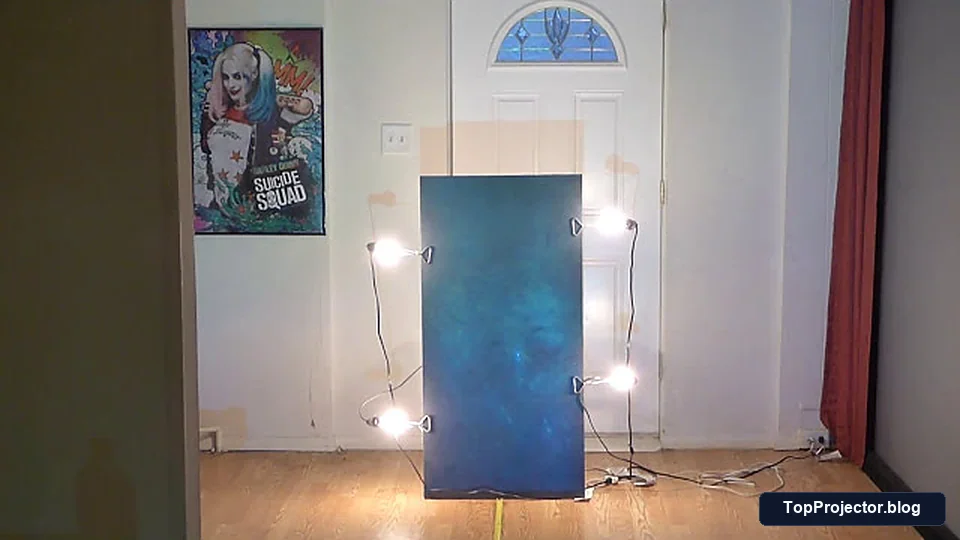
This rigorous testing ensures manufacturers cannot arbitrarily inflate metrics on marketing datasheets. Combining these lab benchmarks with our ANSI lumens guide helps guarantee true real-world performance in your room.
- Gain testing requires precise photometer calibration and controlled darkrooms.
- Measurements are taken directly on-axis and at incremental off-axis angles.
- ANSI standards govern how reflection coefficients are calculated globally.
Interpreting Manufacturer Specifications and Claims
Many budget projector screens feature exaggerated gain claims that ignore off-axis degradation. Always cross-reference manufacturer metrics against independent reviews from trusted calibration publications like ProjectorCentral or RTINGS.
True high gain materials require strict quality control during manufacturing to maintain uniform reflectivity. Inconsistent coating thickness creates distracting patches of uneven brightness across your projected image.
- Budget screens often overstate gain ratings by up to forty percent.
- Independent testing verifies actual retro-reflective properties under load.
Video Walkthrough: ✅ Elite Screen ✯ Understanding ANSI Lumens \u0026 Screen Gain [Projector Screen]
The Inevitable Trade-Off Between Gain and Viewing Angles
Amplifying screen gain always introduces a distinct optical compromise regarding horizontal and vertical viewing angles. As gain increases past 1.3, the usable viewing cone shrinks significantly for all secondary seated viewers.
Viewers sitting off-axis will experience a noticeably darker, washed-out image compared to anyone sitting dead center. Dedicated home theaters prioritize wide dispersion over high gain for this exact reason.
- Higher gain values physically restrict the optimal viewing cone width.
- Off-axis viewers see severe brightness drops on screens above 1.5 gain.
- Standard 1.0 gain materials maintain consistent luminance up to eighty degrees.
Identifying and Mitigating Hot-Spotting Artifacts
Hot-spotting occurs when high gain surfaces reflect a blinding, oversized hotspot directly from the lens position. This optical defect makes the center of your image look unnaturally bright compared to the dark corners.
To minimize hot-spotting, ensure your projector throw ratio exceeds 1.5:1 when utilizing high gain materials. Longer throw distances allow the light cone to spread more evenly across the entire surface.
- Hot-spotting concentrates projector light into a harsh central blur.
- Short-throw projectors exacerbate hot-spotting on high gain screens severely.
Matching Gain Factors to Projector Lumens and Room Lighting
Selecting the correct screen gain requires calculating your projector's actual ANSI lumen output against ambient room light. Living rooms with uncontrolled windows demand negative gain ALR surfaces to combat daytime glare effectively.

Dedicated home theaters with complete light control achieve superior contrast using 1.0 gain surfaces. Pairing these matte screens with our best 4k home cinema projectors guarantees cinematic accuracy and deep blacks.
- Calculate foot-lamberts based on screen size, projector lumens, and gain.
- Bright living rooms require ambient light rejecting screens below 1.1 gain.
- Dark media rooms perform best with reference white 1.0 gain surfaces.
Calculating Foot-Lambert Targets for Optimal HDR
Modern HDR content demands higher luminance targets than traditional SDR cinema standards to look impactful. Aim for 30 to 50 foot-lamberts on your screen surface for compelling high dynamic range highlights.
Multiply your projector's calibrated lumens by screen gain, then divide by square footage to find your exact foot-lambert output. Adjust throw distance or lamp modes if your calculated value falls short.
- HDR projection requires significantly higher peak luminance values.
- Foot-lambert formulas dictate precise sizing limits for projectors.
Video Walkthrough: What is High Gain Screen ? Entry of Video
Specialized Ambient Light Rejecting Surfaces and Micro-Prisms
Modern ambient light rejecting screens use microscopic saw-tooth prisms to filter out unwanted overhead illumination. These optical filters absorb ceiling light while reflecting your projector's horizontal light path straight to the audience.
This advanced engineering allows cinematic projection in fully lit living rooms without washing out contrast. Understanding these directional properties prevents disappointing image quality in multipurpose residential spaces.
- Micro-prism structures reject up to ninety percent of overhead ambient light.
- Directional ALR screens must be mounted right-side up for proper deflection.
- Ultra-short-throw ALR screens feature specialized upward-deflecting ridges.
Differentiating Standard ALR from Retro-Reflective Materials
Standard ALR surfaces reject ambient light from the sides and top while maintaining wide viewing angles. Retro-reflective materials require the projector to be mounted close to the viewer to function properly.
Selecting the wrong ALR category for your projector placement results in dark, unusable projected images. Always verify whether your chosen screen matches standard throw or ultra-short-throw setups.
- Retro-reflective surfaces bounce light strictly back to the source.
- Angular-reflective materials redirect light symmetrically across the room.
Evaluating High Gain Versus Low Gain for Dedicated Home Cinemas
Dedicated home theater designers choose low-gain surfaces to preserve cinematic color accuracy. As highlighted in our XGIMI Horizon Pro review, high gain coatings introduce unwanted color shifts that ruin calibrated grayscale tracking.
Low gain negative screens absorb stray light bouncing off white room boundaries, dramatically improving perceived black levels. Prioritizing contrast over raw brightness delivers a much more immersive film experience.
- Low gain materials improve black floor performance in untreated rooms.
- Neutral 1.0 gain surfaces maintain pristine color accuracy and gamma curves.
- High gain coatings can tint white highlights with slight blue or pink shifts.
When High Gain Screens Still Make Practical Sense
Massive projection screens exceeding 150 inches diagonal often require high gain to maintain adequate brightness levels. When throwing images across extreme distances, modest 1.3 gain ratings help compensate for inverse-square light loss.
Always weigh the penalty of narrowed viewing cones against your room layout before purchasing high gain fabrics. Multi-row seating arrangements will suffer severe off-axis degradation with high gain coefficients.
- Massive screen sizes over 150 inches benefit from mild gain boosts.
- Long throw distances diminish light intensity, justifying minor gain assistance.
Frequently Asked Questions
What is the ideal screen gain for a pitch-black home theater?
A 1.0 gain matte white surface provides the most accurate color reproduction and widest viewing angle. This neutral baseline ensures zero hot-spotting and preserves your projector's native contrast capabilities.
Can projector screen gain fix a dim projector in a bright room?
Screen gain can amplify reflected light, but it also reflects ambient room glare right back at your eyes. An ambient light rejecting screen with a specialized optical structure is far more effective for bright spaces.
Why do high gain screens cause a narrow viewing angle?
High gain surfaces use optical properties to concentrate reflected light into a narrow beam toward the center. This optical steering sacrifices off-axis uniformity, making the image look dark for side viewers.
What does a negative gain screen actually do?
Negative gain screens below 1.0 absorb ambient light to deepen black levels and boost perceived contrast. They require a brighter laser projector to overcome the lower reflective efficiency safely.
How does screen gain affect 4K HDR projection performance?
High dynamic range content requires substantial peak luminance to render specular highlights accurately and realistically. Selecting a modest 1.3 gain material helps achieve the required foot-lambert targets for stunning HDR images.