How Many Years Does a Projector Lamp Last?
Understand exact projector bulb longevity metrics, ANSI lumen decay rates, and practical operational habits to maximize your optical engine lifespan.
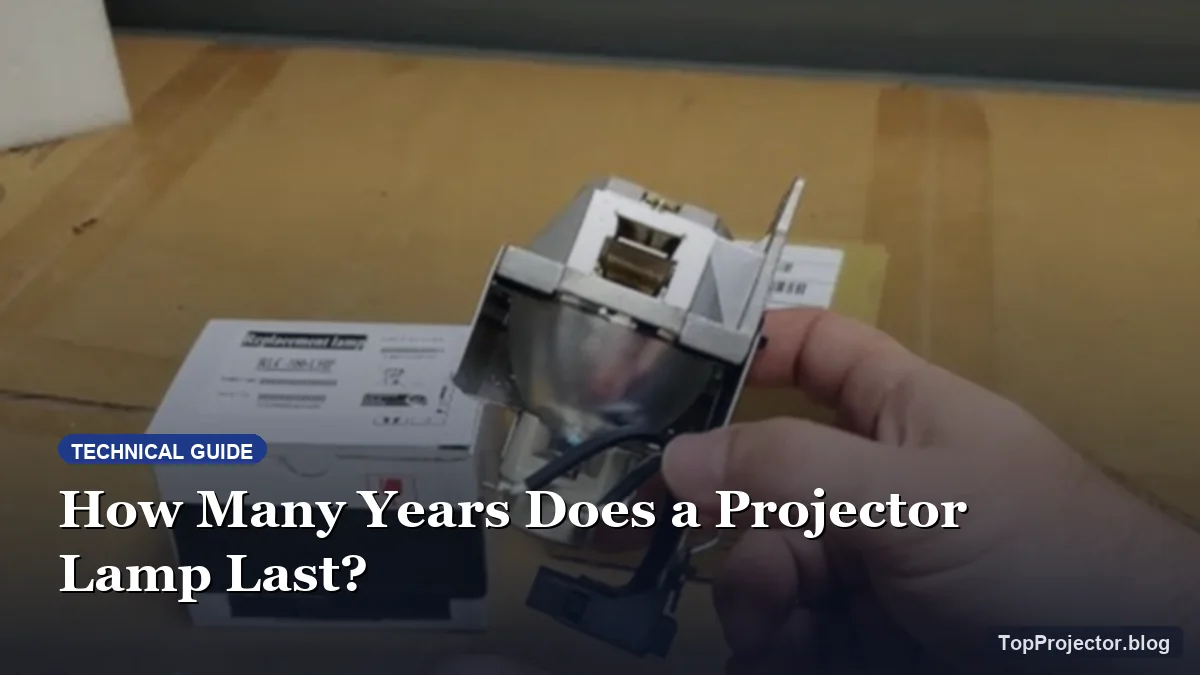
Traditional projector lamps typically last between 2,000 and 5,000 hours, while modern solid-state laser and LED engines easily push past 20,000 hours of continuous home theater use.
Ready to compare verified models? Start with our Best Home Projectors Guide.
Practical Quick-Reference Table
| Illumination Type | Average Rated Hours | Typical Calendar Lifespan | Primary Decay Characteristic |
|---|---|---|---|
| UHP / Mercury Lamp | 2,000 – 4,000 hours | 3 to 5 years | Gradual lumen drop and sudden shattering risk |
| Eco-Mode UHP Lamp | 5,000 – 8,000 hours | 5 to 7 years | Slower thermal decay, reduced brightness output |
| Laser Diode Engine | 20,000 – 30,000 hours | 7 to 15 years | Linear phosphor degradation over prolonged operation |
| LED Light Engine | 20,000 – 30,000 hours | 7 to 15 years | Stable color performance with minimal sudden failure |
| High-Brightness Hybrid | 15,000 – 20,000 hours | 5 to 10 years | Complex thermal management requirements |
| Commercial Xenon | 1,000 – 2,000 hours | 1 to 2 years | Extremely high color accuracy, rapid thermal wear |
Demystifying Projector Lamp Lifespan Metrics and Hours
Projector lamp longevity is rarely measured in literal calendar years by manufacturers. Instead, optical engineers evaluate performance using total operating hour ratings under controlled laboratory testing environments.
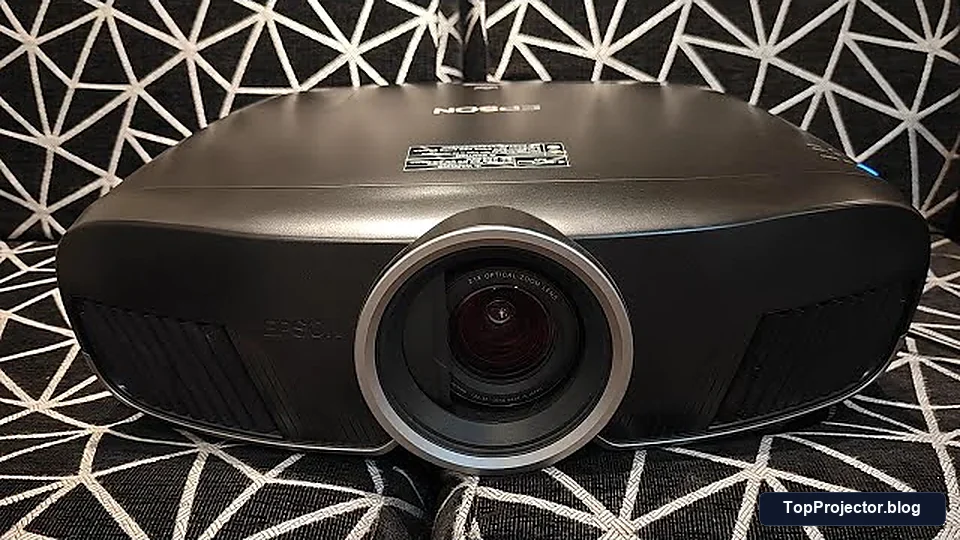
When a manufacturer specifies a bulb lifespan of four thousand hours, they mean the point at which light output drops to fifty percent of its initial factory brightness.
Understanding this half-life metric helps home theater enthusiasts plan proper calibration schedules. Your picture does not instantly vanish; rather, it grows noticeably dimmer over long viewing sessions.
Checking your projector hour log requires navigating internal menus. You might also consult our best mini projectors under 100 guide if you need ultra-portable backup displays with low maintenance costs.
Manufacturers rate traditional lamps using strict ANSI standards measuring when brightness degrades to 50% of peak output, frequently ignoring progressive glass color wheel degradation over time.
- Manufacturer ratings reflect a fifty percent lumen decay threshold.
- Standard power mode accelerates thermal wear on mercury arc bulbs.
- Eco mode reduces voltage to extend total operational hour output.
- Always check internal system menus to verify exact usage logs.
How Manufacturers Calculate Half-Life Ratings
Testing standards require continuous operation cycles under specific ambient temperatures. These baseline tests rarely replicate messy real-world living room dust and variable ventilation conditions.
Consequently, actual real-world lamp degradation often outpaces or lags behind official laboratory benchmarks based on your exact room placement and cooling habits.
- Laboratory tests use sterile, temperature-regulated environments.
- Real-world dust filtration affects actual thermal dissipation.
Calculating True Output Decay
Evaluating real-world optical decay demands monitoring exact foot-lambert levels using a professional digital light meter rather than blindly trusting the internal operating system hour counter.
Comparing Traditional Mercury Lamps Against Solid-State Light Sources
Traditional ultra-high-pressure mercury lamps dominate budget projection. For example, our BenQ HT2060 review highlights modern LED engineering that completely bypasses finite chemical lifespans typical of bulbs.
Solid-state alternatives like laser phosphor engines and high-output LEDs completely rewrite the longevity rules. These systems regularly achieve twenty thousand hours or more before significant decay.
Choosing between traditional bulbs and solid-state illumination involves balancing upfront equipment costs against long-term maintenance. Mercury lamps require eventual replacements, while lasers last the entire product lifecycle.
Thermal management also differs radically between these technologies. Solid-state arrays demand robust aluminum heatsinks, whereas traditional bulbs rely heavily on high-RPM cooling fans.
Modern solid-state laser and LED diodes avoid catastrophic failures, maintaining stable rec.709 color gamuts while slowly dropping below acceptable brightness thresholds after twenty thousand hours.
- Mercury lamps offer lower initial hardware acquisition costs.
- Laser diodes provide maintenance-free operation for decades.
- LED engines maintain superior color consistency over time.
- Solid-state cooling requires advanced multi-stage thermal engineering.
The Rise of Laser Phosphor Architecture
Laser illumination combines blue laser diodes with yellow phosphor wheels. This clever hybrid design creates vibrant rec-709 color spaces while bypassing the fragile arc tube limitations.
As phosphor compounds age, you may experience a slight shift toward warmer color temperatures. Regular white balance calibration easily corrects this gradual spectral drift.
- Blue lasers excite yellow phosphor to generate white light.
- Phosphor degradation causes minor warm color shifts.
Thermal Management Realities
Advanced laser phosphors require aggressive internal cooling to prevent premature blue diode degradation, making proper heatsink clearance vital inside densely enclosed custom home theater cabinetry.
Video Walkthrough: [BenQ FAQ] Projector_How to change lamp and reset lamp timer
How Daily Usage Patterns Translate Into Real Calendar Years
Translating raw operating hours into calendar years depends entirely on your viewing habits. A dedicated home theater running four hours daily accumulates roughly fourteen hundred hours annually.
If your projector utilizes a traditional lamp rated for four thousand hours, expect approximately three years of optimal performance under that steady viewing schedule.
Casual users who watch movies only on weekends will see their projector lamps stretch across six or seven years. Total uptime dictates physical wear far more than calendar time.
Conversely, commercial installations or heavy gaming setups running ten hours daily will exhaust standard mercury bulbs in under twelve months of continuous operation.
Calculating calendar lifespan requires multiplying viewing sessions, keeping your setup primed for our Epson bulb replacement guide when handling frequent rapid power cycling sequences.
- Four daily viewing hours equals roughly 1,460 annual hours.
- Weekend-only users can easily stretch bulbs past six years.
- Heavy gaming and commercial use rapidly exhausts UHP bulbs.
- Calendar aging matters less than cumulative operational runtime.
Calculating Your Personal Replacement Timeline
To estimate your exact replacement window, divide your lamp's rated hour threshold by your average daily usage. This simple arithmetic prevents unexpected dark screen failures during movie nights.
Always factor in a safety buffer of twenty percent to account for dust accumulation and accelerated thermal stress during peak summer months.
- Divide rated hours by daily usage for exact timelines.
- Add a 20 percent safety buffer for real-world conditions.
The Danger of Short Cycles
Powering down your optical engine before internal fans complete their cooling cycle causes severe quartz arc tube stress, drastically shortening your expected lamp operating lifespan.
Major Environmental and Operational Factors That Degrade Lamps
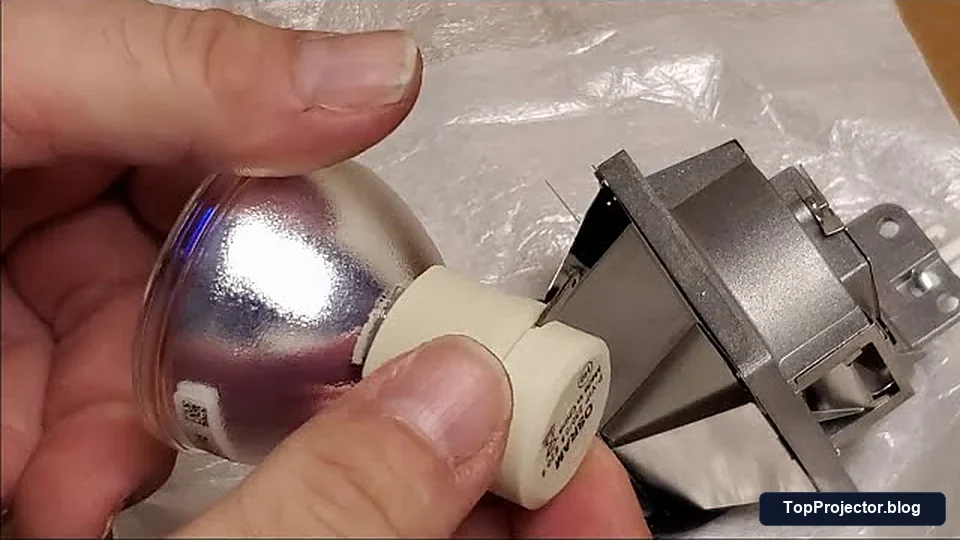
External environmental conditions heavily impact lamp longevity. When calculating brightness requirements using our ANSI lumens room calculator, always factor in ambient heat that accelerates thermal component fatigue.
Dust and particulate buildup inside the optical housing act as insulation blankets. This trapped heat creates micro-fractures in the quartz glass and degrades the mercury arc stability.
Abrupt power interruptions are another primary enemy of UHP lamps. Unplugging a projector without letting the cooling fan complete its cycle traps intense heat, leading to premature bulb shattering.
Mounting orientation also matters significantly for high-pressure bulbs. Inverted ceiling mounts subject the delicate arc filament to uneven gravitational stress if not factory-certified.
Damaging airborne particulate matter clogs high-density optical filters, causing localized thermal hot spots that warp quartz burners and trigger annoying premature ballast failure warnings.
- High ambient room temperatures accelerate thermal wear.
- Dust buildup acts as an insulating thermal blanket.
- Unplugging before cool-down cycles causes catastrophic failure.
- Improper ceiling mounting places stress on arc filaments.
The Danger of Rapid Thermal Cycling
Turning a projector on and off multiple times within a short window severely stresses the glass envelope. Allow at least thirty minutes of continuous runtime per session to stabilize internal temperatures.
Frequent quick-fire switching causes microscopic expansion and contraction cycles that weaken the quartz housing long before reaching nominal hour limits.
- Avoid turning the projector on and off repeatedly.
- Run sessions for at least 30 minutes to stabilize glass.
Altitude and Atmospheric Pressure
Operating projection equipment strictly above five thousand feet requires manually enabling high altitude fan modes to compensate for reduced air density and prevent thermal shutdowns.
Advanced Maintenance Protocols and Eco Mode Optimization Strategies
Protecting your projector investment requires strict adherence to routine maintenance schedules. Cleaning or replacing air filters every three hundred hours ensures unobstructed airflow and lower operating temperatures.
Engaging Eco Mode is the single most effective software setting for extending lamp life. Lowering lamp wattage reduces thermal stress and instantly boosts your total hourly yield.
While Eco Mode sacrifices roughly twenty percent of peak brightness, it compensates by extending lamp life by up to fifty percent in most modern optical engines.
Ensure your projector has adequate physical clearance around all exhaust vents. Trapped hot air recirculates into the chassis, nullifying the benefits of clean air filters.
Utilizing manufacturer eco modes reduces lamp voltage by nearly twenty percent, effectively extending total operational hours while dropping ambient fan noise below twenty-six decibels.
- Clean intake air filters every 300 operating hours.
- Enable Eco Mode to reduce thermal stress and wattage.
- Accept a minor brightness drop for massive longevity gains.
- Maintain adequate physical clearance around chassis vents.
Maximizing Airflow and Ventilation Efficiency
Never place a projector inside a tightly enclosed cabinet unless it features dedicated forced-air intake systems. Restricted airflow drives internal temperatures past critical thermal safety limits.
Keeping your projection room clean of pet hair and floating dust minimizes particulate buildup on delicate internal glass elements.
- Avoid tightly enclosed bookshelves or media cabinets.
- Minimize pet hair and dust in the projection environment.
Preventative Filter Maintenance
Establish a strict quarterly maintenance cleaning schedule for electrostatic intake filters using compressed dry air to maintain optimal airflow dynamics across delicate internal optical assemblies.
Recognizing the Definite Physical Signs of Lamp Degradation
Spotting a failing lamp early prevents sudden interruptions during critical movie screenings. A noticeable dimming of your projected image against a known white screen is the primary indicator.
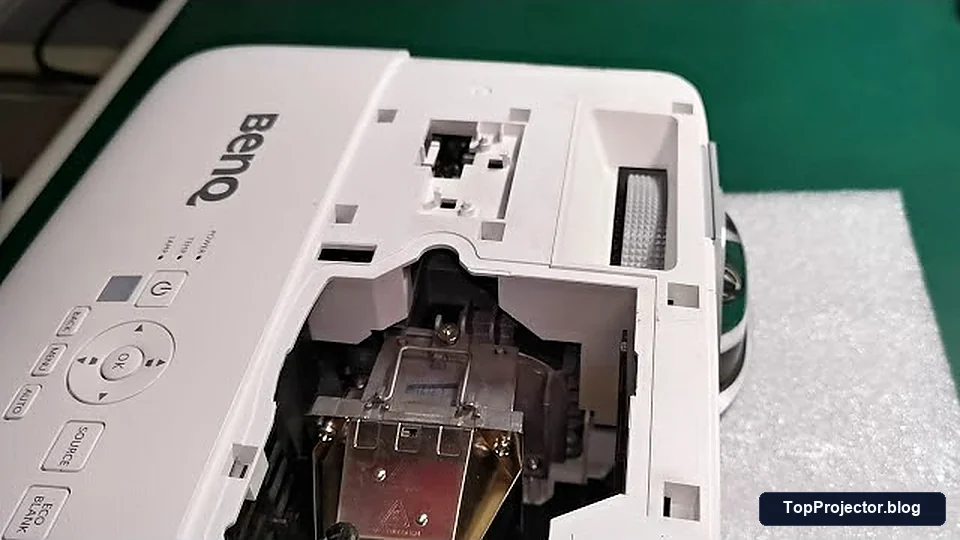
If your projector begins emitting a faint flickering or pulsing luminosity, the internal arc is losing stability. This behavior signals an imminent complete electrical burnout.
Unusual startup noises, such as whining cooling fans fighting blocked airflow, also precede lamp failure. Pay close attention to warning indicator lights on the projector chassis.
Color shifting toward an unnatural green or purple tint indicates chemical breakdown within the mercury vapor. Immediate lamp replacement becomes necessary at this stage.
Clear visual indicators of impending lamp failure include noticeable color shifting toward green hues, severe flicker during high-contrast scenes, and audible arc instability noises.
- Noticeable image dimming against white test patterns.
- Flickering or pulsing light indicates arc instability.
- Abnormal color shifts toward green or magenta hues.
- Flashing chassis warning LEDs demand immediate attention.
Interpreting System Warning Lights and Error Codes
Most projectors feature dedicated status LEDs labeled Lamp, Temp, and Power. A flashing orange Lamp light means you have reached the manufacturer hour threshold.
A blinking red Temp light combined with an automatic shutdown indicates dangerous overheating. Clean your filters immediately before attempting to restart the system.
- Flashing orange lamp lights indicate hour threshold reached.
- Blinking red temp lights warn of hazardous overheating.
Diagnosing Ballast vs Lamp Issues
Differentiating carefully between a failing bulb and a dying ballast involves checking diagnostic LED flash codes and listening for abnormal high-frequency transformer humming sounds.
Navigating Lamp Replacements and Upgrading Solid-State Systems
When a traditional lamp finally reaches its limit, purchasing a certified replacement module is essential. Always buy OEM replacement housings rather than cheap third-party bulbs to protect your ballast.
Third-party bare bulbs often feature improper arc alignment and substandard quartz glass, leading to poor uniformity and risk of explosion inside the sealed housing.
If you find yourself replacing mercury lamps every two years, consider upgrading to a solid-state laser projector. Eliminating consumable bulbs saves money and reduces long-term frustration.
Properly dispose of old mercury lamps at local electronic recycling facilities. Never throw high-pressure mercury bulbs into standard household waste containers.
When swapping old mercury modules, always reset the internal hour meter via the system menu and strictly avoid touching bare quartz glass with skin oils.
- Always purchase certified OEM lamp housing assemblies.
- Avoid cheap third-party bare bulbs to prevent ballast damage.
- Consider upgrading to laser engines to bypass bulb costs.
- Recycle old mercury lamps safely at designated facilities.
Safe Handling Procedures During Bulb Swaps
Always let the projector cool down for at least one full hour before touching the lamp door. Handling a hot bulb causes severe burns and risks skin oil contamination.
Wear cotton gloves when handling new replacement modules. Oil residue from bare fingers creates hot spots on quartz glass, causing premature thermal failure.
- Allow projector to cool for one hour before service.
- Wear clean cotton gloves to prevent oil contamination.
Transitioning to Solid State
Upgrading from traditional lamp-based units to advanced modern laser projectors completely eliminates recurrent maintenance costs while delivering instant-on capabilities without lengthy cooldown delay periods.
Frequently Asked Questions
How can I check how many hours my projector lamp has used?
Navigate to the settings or info menu using your remote control. Look for the lamp hours metric displayed clearly in the system status screen.
Is it safe to keep using a projector past its rated lamp hours?
Yes, the projector will continue functioning safely past the rated threshold. However, expect a significantly dimmer image and a higher risk of unexpected bulb burnout.
Does Eco Mode actually double projector lamp life?
Eco Mode typically extends bulb life by thirty to fifty percent by reducing operating voltage and thermal stress. It is the single best setting for longevity.
What causes a projector lamp to explode inside the unit?
Explosions are usually caused by excessive internal pressure from blocked airflow, thermal shock, or using inferior third-party replacement bulbs with weak quartz glass.
Should I buy a laser projector instead of a lamp-based model?
Laser projectors eliminate bulb replacements and offer twenty thousand hours of maintenance-free operation. They are ideal for users who watch content daily.