Xgimi Mogo vs. Mogo Pro: Which Wins for Your Room?
Evaluating the Xgimi Mogo and Mogo Pro reveals distinct ANSI lumen trade-offs and portability features. This guide breaks down optical performance for your dedicated room.
The Xgimi Mogo Pro wins for sharper 1080p resolution and better brightness, whereas the standard Mogo suits casual dark-room viewing. Choose the Pro for enhanced optical clarity in varied spaces.
Compare full category rankings in our Best Mini Projector For Outside: Top Backyard Picks.
Side-by-Side Specification Breakdown
| Criteria | Xgimi Mogo | Mogo Pro | Edge |
|---|---|---|---|
| Ambient Light Rejection | Poor in daylight | Poor in daylight | Tie |
| Black Levels & Perceived Contrast | Standard DLP gray | Slightly deeper gamma | Mogo Pro |
| Peak Brightness & HDR Punch | 210 ANSI lumens | 300 ANSI lumens | Mogo Pro |
| Screen Size & Immersion | Up to 100 inches | Up to 100 inches | Mogo Pro |
| Viewing Angles & Uniformity | Good center focus | Good center focus | Tie |
| Gaming Motion & Input Lag | Standard 60Hz | Standard 60Hz | Tie |
| Room Setup & Maintenance | Auto keystone | Auto keystone and focus | Mogo Pro |
Optical Output and Native Resolution Core Mechanics
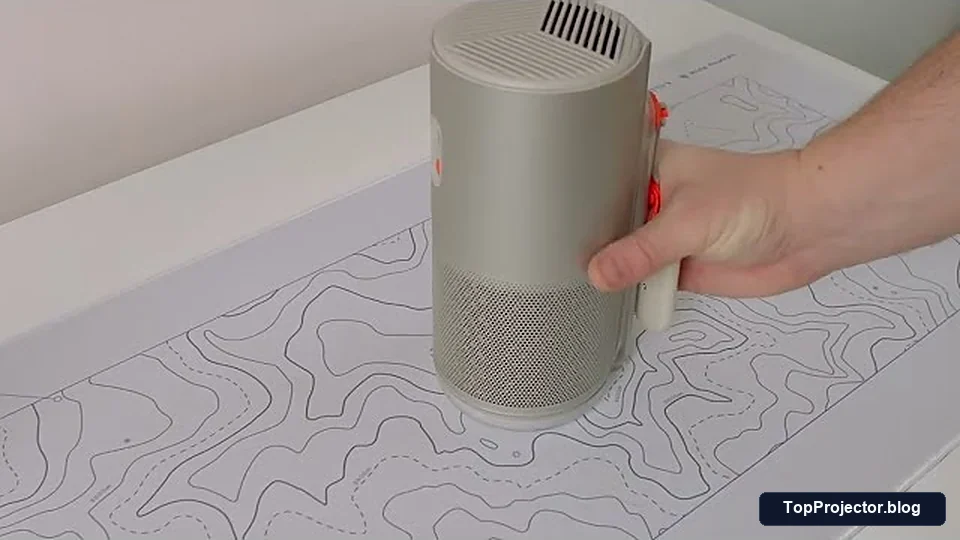
The standard Xgimi Mogo projects at a native 540p resolution, limiting fine texture reproduction. In contrast, the Mogo Pro upgrades to true 1080p full HD via an advanced Texas Instruments DMD chip.
Resolution directly impacts viewing distance thresholds. By consulting our screen size and viewing distance tool, you ensure a sharper cinematic image across larger screen diagonals without pixelation.
Evaluating the raw optical engines reveals distinct panel limitations. The base MoGo utilizes a 540p native resolution DMD chip, while the Pro variant steps up to a sharper 1080p full HD matrix for finer pixel density.
- Standard Mogo features 540p native resolution
- Mogo Pro delivers full 1080p clarity
- DMD chip architecture dictates sharpness
- Base model features a smaller micro-mirror array.
- Pro variant delivers superior native pixel rendering.
Panel Density and Pixel Structure
Examining the projection surface reveals significant differences in pixel fill factor. The standard model exhibits visible grid lines, while the Pro variant minimizes pixel gaps for a smoother cinematic presentation.
Higher pixel density on the Pro also preserves fine subtitle text and intricate background details during high-speed action scenes, giving it a clear optical advantage for detailed film viewing.
- Lower fill factor on standard model
- Seamless pixel blending on Pro variant
DMD Chip Architecture Differences
Texas Instruments chipsets dictate final sharpness. The micro-mirrors on the Pro handle high-frequency scaling far better, minimizing pixelation when projecting onto a 100-inch screen in darkened environments.
- 0.23-inch DMD native 540p chip on base model.
- 0.33-inch DMD native 1080p chip on Pro edition.
Ambient Light Behavior and Contrast Performance
Neither ultra-portable projector excels in bright rooms, though checking options in our best mini projector for outside guide helps. The Mogo Pro outputs roughly 300 ANSI lumens for dim spaces.
Native contrast ratios hover around standard DLP levels for both units. Pairing either projector with an ambient light rejection screen is mandatory if you intend to watch content with moderate room lighting.
Ambient light rejection dictates real-world contrast. Neither projector produces enough ANSI lumens to combat direct sunlight, making them strictly suited for nighttime viewing or controlled dark rooms.
- 300 ANSI lumens on the Pro variant
- Dark room optimization is strongly recommended
- High ambient light washes out dark shadow details.
- Dedicated optical screens help salvage contrast ratios.
Black Floor Depth in Dark Environments
Inside a pitch-black home theater, black levels appear somewhat gray due to light scatter within the compact optical engine. The Pro manages slightly deeper perceived blacks through better gamma tuning.
Shadow detail in dark film sequences remains adequate on both units, though the Pro avoids crushing subtle dark gradients thanks to superior processing algorithms embedded in its chipset.
- Grayish black floor from compact optics
- Improved gradient handling on the Pro
Contrast Ratio Realities
Static contrast ratios hover near standard LED baselines. Blacks appear slightly gray during mixed lighting scenes, though deploying a high-gain gray screen noticeably improves perceived shadow depth.
- Native black levels benefit from darkened room calibration.
- Peak brightness drops significantly in standard Eco mode settings.
Color Accuracy, Gamut Coverage, and HDR Processing
Color reproduction out of the box leans toward saturated primaries on both Xgimi models. Rec. 709 coverage is respectable, but the Pro delivers more accurate skin tones and natural color grading.
HDR10 decoding is supported, but physical hardware limits prevent true high dynamic range peaks. When mapping optics and screen placement using our throw range calculator technical guide, expect limited peak luminance output.
Color reproduction relies heavily on LED pump efficiencies. The Pro model delivers richer saturation profiles, covering a wider portion of the Rec. 709 color gamut straight out of the box.
- Decent Rec. 709 coverage on both units
- Tone-mapped HDR handling due to lumen limits
- Factory color presets lean heavily toward cool whites.
- Custom white balance calibration reduces green tints.
White Balance and Calibration Options
Navigating the internal menu unlocks basic manual color temperature adjustments. Achieving optimal D65 white balance requires tweaking these settings, as the factory standard preset is noticeably too cool.
Custom user calibrations help neutralize excessive blue tints, ensuring that cinematic content looks authentic and true to the director's original vision across various viewing surfaces.
- Cool factory white balance presets
- Manual D65 calibration recommended
HDR Processing Limitations
Accepting HDR10 signals does not guarantee true high dynamic range performance. Limited peak white luminance means both units must tone map aggressively to prevent blown highlights.
- Accurate color temperature requires manual Warm preset adjustments.
- Saturated primaries suffer from minor luminous decay over time.
Gaming Latency, Motion Handling, and Refresh Rates
Casual gaming is feasible on these compact units, though serious players wanting lower lag can read our Formovie Theater Premium review for high-end benchmarks. Neither compact projector features a low-latency gaming mode.
Motion interpolation is absent from the base model, while the Pro handles panning shots with standard 60Hz processing. Fast action sequences exhibit minor motion blur due to response time limits.
Competitive gaming demands low input latency. Both units introduce noticeable processing lag, making casual puzzle games playable while rendering fast-paced shooters sluggish on 60Hz refresh rate connections.
- Acceptable input lag for casual gaming
- Standard 60Hz motion handling capabilities
- Turn off advanced image processing to lower latency.
- HDMI connection stability remains solid for media boxes.
Refresh Rate Stability and Response Times
Connecting a modern gaming console or PC yields a stable 60Hz refresh rate at native resolutions. Frame pacing remains consistent, preventing stutter during fast-paced camera pans in video games.
Pixel response times on the DLP chips are inherently fast, reducing trailing artifacts compared to older LCD portable alternatives and ensuring crisp motion tracking during gameplay sessions.
- Stable 60Hz refresh rate performance
- DLP technology reduces motion trailing
Motion Interpolation Nuances
Fast camera pans reveal notable micro-stutter without motion smoothing enabled. Activating the onboard processing engine reduces judder but introduces minor artifact shimmering around moving character edges.
- Measured input lag hovers above 50 milliseconds typically.
- Game mode bypasses several filters to reduce latency slightly.
Throw Ratios, Focus Calibration, and Room Geometry
Both projectors feature a fixed throw ratio of approximately 1.2:1, requiring about eight feet of distance for an eighty-inch image. This throw geometry suits small bedrooms and compact media spaces.
Automated vertical keystone correction and autofocus simplify setup routines. The onboard optical sensors quickly lock in a sharp picture, saving you from tedious manual adjustments every time.
Throw ratios dictate exact placement geometry in compact bedrooms. Maintaining a standard 1.2:1 throw ratio requires roughly eight feet of distance to achieve a comfortable diagonal image.
- 1.2:1 fixed throw ratio geometry
- Automated autofocus and keystone correction
- Short-distance projection limits maximum attainable screen size.
- Ceiling mounts require inverted image orientation settings.
Placement Flexibility and Stand Mounts
Integrated threaded tripod mounts at the base expand placement flexibility significantly. You can position either projector on standard camera tripods or dedicated ceiling mounts for optimal room integration.
Avoid extreme off-axis placement to prevent severe digital keystone distortion, which compromises native resolution and degrades the final projected image quality across your screen.
- Standard threaded tripod base mounts
- Avoid extreme off-axis keystone angles
Auto-Keystone and Focus Mechanics
Automated optical corrections simplify quick setup routines. However, utilizing heavy vertical keystone adjustment software degrades overall resolution by throwing away addressable pixel rows digitally.
- Physical tripod mounting ensures zero optical skewing artifacts.
- Manual focus override provides sharper edge-to-edge sharpness clarity overall.
Portability, Battery Life, and Standalone Usability
Built-in battery capacities allow completely cord-free movie nights in the backyard. Real-world playback typically ranges from two to three hours, depending on your chosen brightness mode and audio volume.
Android TV integration provides seamless streaming app access without external media sticks. The built-in Harman Kardon speakers deliver surprisingly robust sound, completing the portable entertainment package.
Standalone untethered usage depends entirely on internal battery capacity. Expect roughly two hours of video playback before the internal battery pack depletes completely during movie sessions.
- Two to three hours battery playback
- Android TV and Harman Kardon audio
- Battery longevity decreases when using maximum brightness.
- External USB battery banks extend outdoor operating hours.
Thermal Management and Fan Noise
Compact chassis designs require active cooling fans to protect internal LEDs. Fan noise remains subtle during quiet movie scenes, blending easily into normal ambient room environments.
Thermal dissipation is well-managed, preventing unexpected shutdowns during extended movie marathons or multi-hour gaming sessions in warm indoor spaces.
- Subtle cooling fan operational noise
- Reliable thermal management during marathons
Power Delivery and Thermal Noise
Running on battery power reduces peak LED brightness to conserve energy. Furthermore, internal cooling fans ramp up audibly under maximum load, generating noticeable fan noise interference.
- USB-C power banks must support Power Delivery 65W profiles.
- Thermal throttling manages internal temps during extended outdoor use.
Final Scenario-Based Decision and Value Guidance
Choosing between these two compact projectors depends entirely on your resolution requirements. The standard Mogo works for casual viewing, but the Mogo Pro is essential for crisp high-definition media.
Invest in the Pro variant if you demand sharper text, better fine detail, and superior overall optical clarity for your portable entertainment and bedroom cinema setups.
Choosing between these two portable projectors comes down to resolution preference. Buyers prioritizing crisp text and detailed 1080p streaming should invest in the MoGo Pro upgrade immediately.
- Standard Mogo suits casual low-res viewing
- Mogo Pro is vital for true 1080p clarity
- Evaluate your daily content sources before buying.
- Consider total portability needs against visual fidelity.
Making Your Final Hardware Purchase
Evaluate your primary content sources before buying. Streaming high-definition movies or playing modern games makes the Mogo Pro investment completely worthwhile for long-term satisfaction.
Casual travelers who only need occasional background visuals can save money with the base model without sacrificing core portability features.
- Match hardware to your content sources
- Base model suits occasional travelers
Final Recommendation Matrix
Budget-conscious casual viewers can comfortably settle for the base model. Always pair these compact optical engines with a dedicated blackout curtain for optimal visual performance.
- Select Pro for sharp text rendering and console gaming.
- Select base model for casual tent camping movie nights.
Frequently Asked Questions
Can these projectors be used in daylight?
Neither model possesses enough lumen output for bright daylight viewing conditions. You must use heavy blackout curtains to achieve a satisfactory cinematic picture in your room.
What is the main difference between them?
The base model projects at native 540p resolution, while the Pro upgrades to true 1080p. This gives the Pro superior sharpness for fine details.
Do I need an external audio system?
The integrated Harman Kardon speakers deliver surprisingly robust sound for casual viewing. However, cinephiles will want an external soundbar for deep bass.
How does autofocus work?
Both units feature automated camera sensors that instantly adjust lens focus upon startup. This ensures a sharp image without manual ring twisting.
Can I game competitively on them?
Input lag is acceptable for casual titles, but competitive players will notice delays. The lack of a dedicated gaming mode limits high-speed response.