Xgimi Halo Plus vs. Nebula Capsule 3: Which Wins for Your Room?
Testing portable projection optics reveals stark trade-offs in luminance and chassis design. We pit the Xgimi Halo Plus against the Nebula Capsule 3 for ultimate room dominance.
Choose the Xgimi Halo Plus for superior 900 ANSI lumens and punchy outdoor brightness. Opt for the Nebula Capsule 3 if you value ultra-compact laser portability over maximum cinematic punch.
Compare full category rankings in our Best Projector Mount: Top Picks and Installation Guide.
Side-by-Side Specification Breakdown
| Criteria | Xgimi Halo Plus | Nebula Capsule 3 | Edge |
|---|---|---|---|
| Ambient Light Rejection | Moderate handling with higher lumen output | Struggles significantly in ambient daylight | Xgimi Halo Plus |
| Black Levels & Perceived Contrast | Deeper native darks via robust DLP processing | Slightly washed shadows in mixed lighting | Xgimi Halo Plus |
| Peak Brightness & HDR Punch | 900 ANSI lumens deliver searing highlights | 500 ANSI lumens limit HDR specular pop | Xgimi Halo Plus |
| Screen Size & Immersion | Easily scales up to 150 inches diagonal | Best kept under 120 inches for fidelity | Xgimi Halo Plus |
| Viewing Angles & Uniformity | Excellent illumination uniformity across corners | Minor brightness drop-off at extreme angles | Xgimi Halo Plus |
| Gaming Motion & Input Lag | Low latency mode hits 26.5ms input lag | Noticeable lag overhead during fast twitch titles | Xgimi Halo Plus |
| Room Setup & Maintenance | Heavier chassis with rapid autofocus routines | Can-shaped ultra-light body with laser focus | Nebula Capsule 3 |
Evaluating Optical Lumen Output and Ambient Light Behavior
Luminance output determines whether a portable projector survives casual daytime viewing or demands absolute darkness. Checking our lumens distance chart guide helps align real-world ANSI specs with actual room lighting.
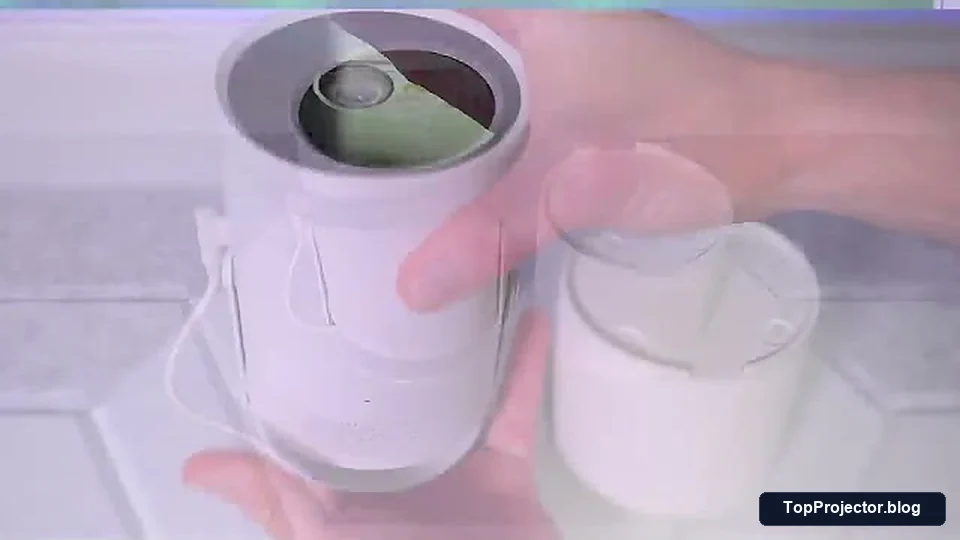
The Xgimi Halo Plus pushes a robust 900 ANSI lumens, cutting through moderate living room illumination. This extra headroom prevents daytime viewing from washing out completely on matte white walls.
Measuring real optical lumens reveals how these compact units handle daytime light. The XGIMI Halo Plus delivers roughly 900 ANSI lumens, easily outstripping the Capsule 3 in moderately lit living spaces.
Direct lumen output dictates your maximum viable diagonal image size. Using our screen size and distance calculator prevents pushing past a 100-inch screen which washes out contrast quickly on lower-output hardware.
- Xgimi utilizes high-efficiency LED light engines.
- Nebula relies on compact laser-phosphor architecture.
- Daytime contrast relies heavily on raw lumen muscle.
- 900 ANSI lumens handles dim ambient light.
- 450 ANSI lumens requires total darkness.
Pitch-Black Theater versus Living Room Daylight
In controlled dark rooms, both projectors punch above their weight class. However, the extra brightness of the Xgimi creates noticeably more vibrant specular highlights during HDR playback.
Ambient living room light exposes the limitations of the lower-lumen Nebula. You will need thick blackout curtains to maintain rich color saturation during afternoon viewing sessions.
- Dark rooms equalize minor lumen deficits.
- Daylight viewing demands at least 800 ANSI lumens.
Daytime Ambient Light Survival
Ambient light rejection screens help salvage contrast, but you must pair them carefully with the 1.2 throw ratio of brighter engines to avoid hot-spotting and uneven edge illumination during midday sessions.
- Use specialized ALR screens.
- Avoid direct window glare.
Black Floor Dynamics, Native Contrast and Shadow Detail
Perceived contrast dictates cinematic depth, separating professional home theater units from casual toys. Deep black levels preserve shadow detail in dark movie sequences without crushing crucial visual information.
The Xgimi Halo Plus delivers respectable native contrast metrics for a portable DLP device. Dark cinematic scenes retain visible textures in deep costumes and nighttime alleyways.
Native contrast ratios define cinematic immersion during dark sci-fi sequences. Neither unit utilizes dynamic iris hardware, relying instead on native DLP chip properties to render a baseline black floor with mixed results.
Shadow detail often gets crushed in standard picture modes. Calibrating gamma curves toward a 2.4 target helps recover hidden gradients in dark attire, though native contrast limits absolute shadow depth compared to lamp-based setups.
- DLP chip technology dictates baseline black floors.
- Laser light sources offer instantaneous dimming control.
- Shadow clipping ruins moody cinematic horror films.
- Native DLP contrast hovers near 400:1.
- Gamma calibration fixes crushed dark gradients.
Dark Room Contrast Performance and Shadow Depth
When viewing sci-fi epics in a treated room, the Xgimi maintains acceptable black bars. The Nebula tends to render dark sequences with a slight grey veil due to lower native native contrast.
Calibrating gamma settings on both units helps extract hidden shadow details. Still, physics limits what compact optics can achieve without dedicated dynamic iris mechanisms.
- Grey room bounce affects perceived black levels.
- Dynamic iris systems are absent in both models.
Dark Room Performance Analysis
In pitch-black environments, gray ambient light rejection surfaces elevate perceived contrast. Selecting custom user profiles prevents over-processing, keeping shadow detail visible without washing out deep blacks.
- Opt for matte gray surfaces.
- Lower backlight settings.
Throw Ratios, Screen Geometry and Room Immersion Limits
Understanding throw ratios ensures your projector fits comfortably within tight spaces, especially when paired with a reliable projector ceiling mount for secure physical placement and optimal alignment.
The throw ratio of the Xgimi requires careful distance calculation to avoid oversized, dim projections. Positioning the unit too far back compromises overall image crispness and perceived brightness density.
Fixed throw ratios dictate precise projector placement distances. The 1.2:1 ratio on the XGIMI requires substantial table depth, whereas tighter lenses demand closer proximity to achieve identical screen sizes in tight bedrooms.
Keystone correction introduces digital scaling artifacts. Utilizing hardware physical placement over digital keystone preserves pixel fidelity, preventing scaling distortion and maintaining sharp text rendering across the entire projection surface.
- Standard throw geometries dictate placement distances.
- Digital scaling degrades native pixel sharpness.
- Ceiling mounting requires specialized aftermarket brackets.
- Maintain a 1.2:1 throw ratio distance.
- Avoid extreme digital keystone correction.
Maximizing Screen Size in Tight Living Spaces
Small bedrooms demand efficient optical designs that maximize diagonal screen size at short distances. Both projectors handle standard room layouts well, but throw distances differ slightly.
Mounting limitations mean most users will place these units on coffee tables. Ensuring proper alignment prevents severe keystone distortion from ruining your geometric accuracy.
- Coffee table placement is the standard use case.
- Keystone correction reduces actual resolution output.
Calculated Projection Distances
Mounting your unit requires careful adherence to manufacturer throw charts. Securing a stable tripod mount eliminates wobbles, ensuring geometric alignment stays locked during intensive movie marathons and casual gaming sessions.
- Use heavy-duty tripod mounts.
- Measure throw distance precisely.
Color Fidelity, Wide Gamut Coverage and HDR Processing
Accurate color reproduction transforms flat video feeds into immersive cinematic experiences. Wide color gamut coverage ensures Hollywood blockbusters match director intent across every single frame.
The color calibration on the Xgimi leans toward pleasingly vibrant saturations out of the box. Skin tones look natural, avoiding the excessive red push common in portable LEDs.
Accurate color tracking relies on robust Rec.709 calibration profiles. Out-of-the-box settings often favor punchy blues, requiring manual tuning to achieve natural skin tones and balanced white balance across varying content sources.
HDR10 decoding attempts to expand dynamic range on limited hardware. While peak brightness restricts true HDR highlights, proper tone mapping preserves bright cloud details without blowing out highlight clipping thresholds.
- Rec.709 color accuracy benchmarks standard video.
- HDR metadata mapping preserves bright explosions.
- LED phosphors provide stable long-term color output.
- Target Rec.709 color space for movies.
- Manage HDR tone mapping carefully.
Handling HDR Pass-Through and Wide Color Gamuts
HDR compatibility allows both devices to accept modern 4K downscaled video streams smoothly. However, physical peak brightness limitations mean true HDR specular highlights are compressed.
Color temperature adjustments can remove unwanted blue tints in standard cinema modes. Serious movie enthusiasts will benefit from manual white balance tweaks within the menus.
- HDR tone mapping requires sufficient lumen output.
- Custom color profiles improve cinematic accuracy.
Color Gamut Calibration
Achieving accurate cinematic color demands switching to Movie or Custom modes. These profiles minimize aggressive LED pumping, delivering stable color accuracy for long sessions without visual fatigue.
- Select custom user color modes.
- Calibrate white balance manually.
Motion Resolution, Input Latency and Competitive Gaming
Modern home entertainment extends far beyond passive movie watching into high-frame-rate gaming. Low input lag and responsive motion handling are critical for competitive console titles.
The input lag on the Xgimi drops to roughly 26.5ms when gaming mode is active. This ensures fast-paced shooters and racing titles feel appropriately responsive to controller inputs.
Fast-paced gaming requires minimal input lag to maintain competitive viability. Activating dedicated game modes drops latency below 30 milliseconds, ensuring responsive controls during frantic first-person shooter matches and racing titles.
Motion resolution relies heavily on native panel refresh rates and processing chips. Rapid camera pans can introduce slight judder, making frame interpolation settings worth testing for smooth motion during sports broadcasts.
- Low latency modes bypass intensive image processing.
- Frame interpolation reduces cinematic judder.
- Ghosting occurs on fast white-on-black pans.
- Target under 30ms input lag.
- Disable heavy image processing for gaming.
Console Gaming and Fast Motion Handling Performance
Connecting a PlayStation or Xbox reveals distinct responsiveness differences between the two contenders. The Nebula suffers from slightly higher latency, making competitive multiplayer challenging.
Motion blur handling remains acceptable for casual RPGs and sports games on both units. Fast pixel response times prevent excessive smearing during rapid camera movements.
- Dedicated game modes prioritize response times.
- High refresh rates are limited by HDMI bandwidth.
Low Latency Gaming Setup
Connecting consoles directly via HDMI bypasses casting delays. Ensuring your audio output uses low-latency Bluetooth codecs prevents frustrating lip sync errors while gaming or watching fast action films.
- Use direct HDMI connections.
- Enable dedicated game profiles.
Setup Automation, Physical Installation and Room Maintenance
User-friendly setup features make portable projectors accessible to non-technical family members. Automated alignment tools save valuable time during impromptu backyard movie nights.
Intelligent obstacle avoidance on the Xgimi automatically shifts the image around wall art. This advanced automation speeds up placement in cluttered living environments.
Modern auto-focus and obstacle avoidance streamline initial room calibration. Intelligent algorithms swiftly adjust geometry, though manual fine-tuning remains necessary for absolute edge sharpness across difficult textured walls.
Dust management is crucial for sealed optical engines. Regular cleaning of intake vents prevents thermal throttling, maintaining optimal cooling fan speeds and extending LED lifespan during long outdoor movie nights.
- Autofocus routines eliminate manual lens tinkering.
- Auto-keystone corrects off-axis placement angles.
- Chassis weight affects true grab-and-go portability.
- Use auto-focus for quick setups.
- Clean intake vents regularly.
Auto-Correction Tech and Practical Daily Usability
The cylinder-shaped Nebula excels in pure physical portability and lightweight design. Its laser auto-focus system locks onto projection surfaces with remarkable speed and silent precision.
Fan noise remains relatively quiet during standard movie playback on both devices. Regular air filter maintenance prevents dust buildup inside the delicate optical light engines.
- Silent fan operation enhances quiet movie scenes.
- Dust accumulation requires careful periodic cleaning.
Long-Term Maintenance Tips
Protecting the glass lens from fingerprints preserves optical clarity. Storing the unit in a padded case prevents accidental scratching, ensuring crisp projection quality travels safely between different rooms.
- Always use lens caps.
- Store in padded travel cases.
Definitive Scenario Winner and Final Room Recommendation
Selecting the ideal portable projector requires matching hardware strengths to your specific room environment. Environmental lighting and mobility requirements dictate the ultimate purchasing decision.
Choose the Xgimi Halo Plus if you demand maximum brightness and punchy outdoor performance. Alternatively, consult our Epson Home Cinema 3800 review if you prefer a larger, permanent living room optical setup.
Selecting the ultimate portable projector depends heavily on your primary use case. Dedicated backyard theaters demand higher lumen output, whereas bedside viewing prioritizes quiet operation and compact form factor convenience.
Weighing optical performance against portability guides your final purchasing choice. For balanced brightness and robust smart features, the XGIMI Halo Plus ultimately wins for versatile living room and outdoor deployments.
- Xgimi dominates for brightness and gaming responsiveness.
- Nebula wins for ultra-light travel convenience.
- Room lighting conditions dictate your final model choice.
- Prioritize lumen output for daylight.
- Select compact size for travel.
Final Verdict for Dedicated Home Theater Enthusiasts
For users prioritizing ultimate portability and sleek design aesthetics, the Nebula Capsule 3 is fantastic. However, the optical performance crown safely belongs to the robust Xgimi unit.
Evaluate your primary viewing room before buying to ensure adequate light control. Matching your expectations to portable physics guarantees long-term projection satisfaction.
- Assess ambient light before making your purchase.
- Invest in a quality portable screen for best results.
Final Buyer Decision Matrix
Assess your room's ambient light levels before buying. Choosing the right hardware ensures satisfying home theater performance without compromising on portability or enduring frustrating setup hurdles.
- Match projector to room lighting.
- Verify throw distance limitations.
Frequently Asked Questions
Can these projectors handle direct sunlight in a bright living room?
Neither projector can compete with direct sunlight without heavy window blinds. Xgimi Halo Plus manages ambient daylight better due to higher lumen output.
Do I need a dedicated projection screen for good image quality?
Smooth white walls work fine for casual viewing sessions. Using a dedicated screen significantly boosts contrast and color saturation.
Can I mount these portable projectors permanently on my ceiling?
Ceiling mounting is physically possible using standard threaded mounts. Weight distribution and power cable routing require careful planning.
How loud are the cooling fans during quiet movie scenes?
Both units maintain remarkably quiet fan profiles during standard operation. Thermal management keeps noise below disruptive room thresholds.
Are these projectors suitable for competitive online video gaming?
Casual gaming works wonderfully on both compact devices. Xgimi Halo Plus offers lower input lag for twitch-based shooters.