Projector Lens Shift vs. Keystone: Which Wins for Your Room?
Choosing between optical alignment and digital scaling defines your home theater geometry. Understanding optical lens shift versus digital keystone correction protects native resolution and absolute contrast.
For pristine home theater installations, optical lens shift wins decisively by preserving every native pixel. Digital keystone should remain a last-resort tool reserved for temporary or strictly limited alignment scenarios.
Compare full category rankings in our Best High End Projector For Home Theater: Top Picks.
Side-by-Side Specification Breakdown
| Criteria | Projector Lens Shift | Keystone | Edge |
|---|---|---|---|
| Ambient Light Rejection | Maintains native optical contrast | Introduces gray border artifacts | Projector Lens Shift |
| Black Levels & Perceived Contrast | Preserves panel black floor | Raises black floor via scaling | Projector Lens Shift |
| Peak Brightness & HDR Punch | Zero lumen loss from optics | Drops lumen output digitally | Projector Lens Shift |
| Screen Size & Immersion | Maximizes throw geometry | Crimps viewable active area | Projector Lens Shift |
| Viewing Angles & Uniformity | Ensures pixel-perfect convergence | Distorts subpixel grid uniformity | Projector Lens Shift |
| Gaming Motion & Input Lag | Adds zero processing latency | Adds scaling input lag penalty | Projector Lens Shift |
| Room Setup & Maintenance | Requires precise physical mounting | Offers quick software correction | Keystone |
Optical Geometry Versus Digital Manipulation
Projector lens shift utilizes high-grade physical glass elements to reposition the projected image inside the optical path. This mechanical shift moves the image cleanly across the screen without losing a single native pixel.
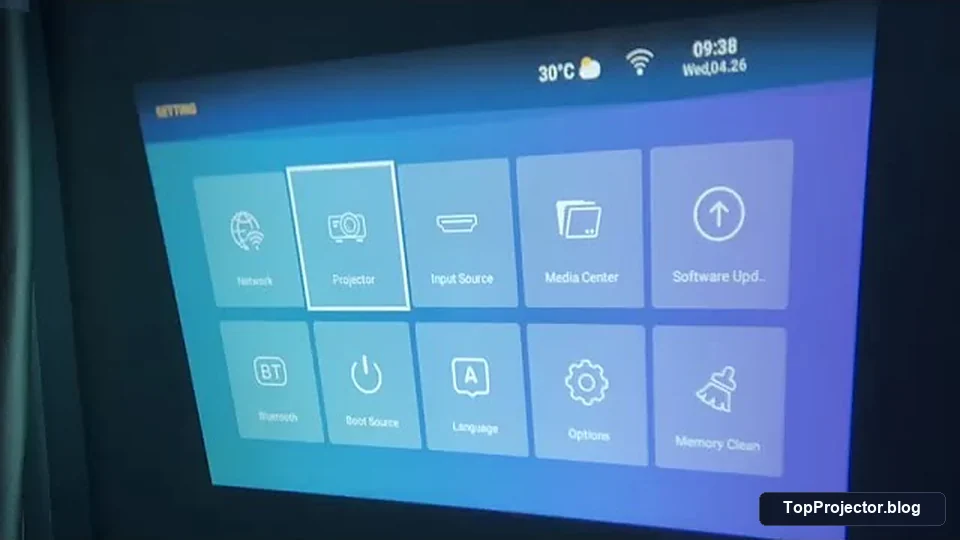
Conversely, digital keystone correction relies on internal video processing hardware to compress and reshape the frame. This mathematical scaling actively throws away pixels, sacrificing native resolution to square up crooked alignment.
When evaluating throw geometry, mechanical shifting maintains pristine edge-to-edge focus uniformity. Digital distortion algorithms frequently trigger blurring along top and bottom borders due to forced pixel interpolation routines.
- Lens shift preserves 100 percent of native panel pixels.
- Keystone discards valuable resolution during digital scaling.
- Optical alignment guarantees edge-to-edge sharpness.
- Digital correction introduces visible scaling artifacts.
The Mechanics of Physical Glass Movement
Internal prisms and lens assemblies slide along precision tracks driven by micro-motors. Maintaining this pure optical path ensures zero degradation of the incoming HDMI video signal.
High-end projectors feature motorized lens shift with memory presets. Choosing models from our best high end projector for home theater guide helps installers hit rigid 2.35:1 scope screen boundaries perfectly.
- Motorized assemblies deliver sub-millimeter positioning accuracy.
- Zero video processing means pristine signal fidelity.
The Hidden Cost of Digital Resizing
Digital keystone squashes pixel grids to force a rectangular aspect ratio from skewed angles. This unwanted resampling ruins high-frequency detail and fine text legibility.
Processed frames suffer from uneven scaling ratios across vertical and horizontal axes. Viewers often spot jagged diagonal lines and shimmering artifacts on high-contrast movie credits.
- Pixel resampling degrades fine text and detail.
- Forced aspect ratios create jagged diagonal lines.
Black Levels, Contrast and Shadow Detail Preservation
Achieving deep black floors requires optimal light control inside the optical engine. Lens shift keeps native native contrast ratios intact by projecting the complete image frame directly.
Digital keystone creates active gray border light spill around the main active image rectangle. This illuminated border degrades perceived contrast and ruins shadow detail in dark scenes.
Serious home theater enthusiasts measure dynamic range carefully in bat-caves. Optical alignment prevents unwanted stray light emission, whereas digital correction scatters stray photons across borders.
- Lens shift preserves native on-off contrast ratios.
- Keystone creates glowing gray light spill borders.
- Shadow detail remains rich and deep with optical shift.
- Stray photons degrade dynamic range during scaling.
Controlling Stray Light Spills
Unused pixels in a keystone-corrected frame still emit a faint baseline glow. Checking our screen size and viewing distance calculator helps prevent these residual photon issues from destroying perceived black levels.
Physical lens shift avoids wasted pixels by utilizing the entire native imaging chip. Every lumen generated serves the active picture area rather than illuminating borders.
- Unused pixels emit unwanted background illumination.
- Active display chips maximize targeted lumen utilization.
Maximizing Native Dynamic Range
Native contrast is governed by optical purity and panel quality. Introducing digital scaling interferes with native gamma tracking across dark grayscale ramps.
Calibrated projectors require clean unscaled feeds to track standard electro-optical transfer functions accurately. Lens shift guarantees your gamma curve remains completely uncorrupted.
- Digital scaling disrupts native grayscale tracking curves.
- Uncorrupted optical paths maintain accurate gamma response.
Ambient Light Performance and Native Resolution Integrity
Battling ambient living room light demands every available ANSI lumen from your projector. As noted in our Anker Nebula Cosmos 4K SE review, lens shift delivers maximum efficiency without wasting output on digital correction masks.
Digital keystone alters pixel allocation, reducing overall light output efficiency by dropping active pixel counts. This loss hurts performance when pairing projectors with ambient light rejecting screens.
Maintaining native resolution integrity ensures that high-frequency detail cuts through ambient room reflections. Digital scaling softens fine textures, compounding visibility issues in bright spaces.
- Lens shift maximizes available ANSI lumen output.
- Keystone reduces active pixel efficiency and brightness.
- Ambient light rejecting screens demand unscaled images.
- Native resolution preservation maintains texture clarity.
Living Room Daylight Optimization
Bright family rooms require precise alignment with specialized ALR projection materials. Lens shift allows exact geometric matching without compromising panel brightness.
Wasted light from keystone borders creates distracting gray boxes on ambient light rejecting screens. Clean optical boundaries are critical for daytime viewing success.
- ALR screens require precise optical matching.
- Wasted border light ruins daylight viewing contrast.
Preserving Pixel Grid Uniformity
4K enhancement and native 4K panels rely on crisp pixel grids for maximum punch. Digital keystone blurs these microscopic pixel boundaries, destroying high-frequency sharpness.
Optical alignment keeps pixel structures razor-sharp across the entire projection surface. Viewers experience superior perceived resolution and cleaner edge definition.
- 4K panels demand pristine unscaled pixel grids.
- Digital correction softens microscopic edge definition.
Color Accuracy, Gamma Tracking and HDR Mapping
HDR content demands precise tone mapping and wide color gamuts. Lens shift preserves factory color calibration without introducing digital color banding or artifacting.
Digital keystone processing pipelines alter digital video signals before final panel projection. This extra processing step can introduce color banding and clipping in bright highlights.
Accurate EOTF tracking relies on clean signal delivery from source to display. Optical adjustments leave color vectors untouched, ensuring reference-grade movie reproduction.
- Lens shift preserves factory color calibration accuracy.
- Keystone processing can introduce digital color banding.
- HDR tone mapping requires clean, unscaled video feeds.
- Optical adjustments leave native color vectors untouched.
Tone Mapping Fidelity for HDR10 and Dolby Vision
Dynamic HDR metadata requires exact panel luminance mapping to render specular highlights correctly. Digital scaling interferes with peak brightness allocation.
Lens shift guarantees that every peak white photon hits the intended screen coordinates. This ensures maximum specular pop for high-dynamic-range movie scenes.
- Dynamic HDR requires precise luminance mapping.
- Optical shifts maintain peak specular highlight punch.
Avoiding Grayscale Banding and Color Clipping
Aggressive digital warping forces color interpolation across subpixel arrays. This mathematical strain often triggers visible banding in smooth skies and gradients.
Mechanical lens movement bypasses internal video frame buffers entirely. Your color depth and grayscale gradients remain smooth and free from digital distortion.
- Subpixel interpolation triggers visible gradient banding.
- Mechanical adjustments bypass internal video buffers.
Gaming Motion, Input Lag and Pixel Scaling
Competitive console and PC gaming demands ultra-low input lag and fluid motion handling. Lens shift operates entirely in the optical domain, adding zero milliseconds of processing latency.
Digital keystone forces the projector's internal scaler to recompute every incoming frame. This added processing step introduces measurable input lag that hinders fast-paced gameplay.
High refresh rate gaming at 120Hz requires direct uncompressed signal throughput. Optical alignment ensures your gaming inputs translate instantly to screen action.
- Lens shift adds zero input lag to gaming signals.
- Keystone processing increases frame latency penalties.
- High refresh rate gaming demands uncompressed throughput.
- Optical alignment ensures instantaneous action response.
Minimizing Latency for Competitive Titles
First-person shooters require sub-20ms input response times for competitive play. Utilizing digital keystone can push processing delays past acceptable twitch-reaction thresholds.
Mounting your projector accurately to leverage lens shift keeps game modes running at peak responsiveness. Enjoy competitive gaming without artificial frame processing delays.
- Fast shooters demand sub-20ms input response.
- Accurate mounting preserves competitive gaming latency.
Motion Resolution and Frame Rate Integrity
Fast camera pans require crisp motion resolution without motion blur smearing. Digital scaling can interfere with motion interpolation and black frame insertion modes.
Pure optical alignment lets advanced motion processing engines operate at peak efficiency. Your high-speed action sequences remain sharp and artifact-free.
- Digital scaling interferes with motion processing engines.
- Optical purity ensures sharp high-speed action sequences.
Room Setup, Ceiling Mounting and Installation Flexibility
Professional home theater installations prioritize precise ceiling mount placement over quick fixes. Lens shift provides the physical latitude needed to center images without digital compromises.
Digital keystone offers undeniable convenience for portable projectors or casual setup environments. Users can place projectors off-center on coffee tables and square up images instantly.
Balancing installation ease against optical performance dictates your ultimate setup strategy. Dedicated media rooms demand lens shift, while casual spaces benefit from keystone flexibility.
- Lens shift requires precise ceiling mount placement.
- Keystone offers unmatched portable setup convenience.
- Dedicated rooms demand uncompromising optical alignment.
- Casual living spaces thrive on rapid digital correction.
Dedicated Home Theater Integration
Building a dedicated theater involves exact throw distance calculations and screen matching. Generous horizontal and vertical lens shift makes hitting fixed frame screens effortless.
Professional installers rely on optical adjustment ranges to clear structural ceiling obstacles. Learning how to operate a projector with a laptop ensures your display aligns cleanly with fixed acoustic screens.
- Accurate throw calculations ensure proper screen matching.
- Extensive adjustment ranges overcome structural obstacles.
Portable and Multi-Purpose Room Deployment
Temporary backyard movie nights or multi-use living rooms rarely allow perfect projector placement. Digital keystone and corner correction save these difficult setups instantly.
When permanent mounting is impossible, digital correction tools provide a practical fallback. Just accept the minor resolution penalty for the sake of setup speed.
- Temporary setups benefit from rapid digital correction.
- Corner correction saves difficult off-center placements.
Final Scenario-Based Buying Decision
Choosing between lens shift and keystone depends entirely on your room architecture and usage priorities. Dedicated theater owners must demand robust mechanical lens shift capabilities.
Casual entertainment enthusiasts and portable projector users can embrace digital keystone freely. Match your hardware features to your primary viewing environment for maximum satisfaction.
Prioritize optical lens shift whenever budget and room geometry permit the investment. Your reward is uncompromised resolution, stellar contrast, and reference-grade home cinema fidelity.
- Match alignment features to your specific room environment.
- Dedicated theaters require mechanical lens shift capability.
- Casual setups can utilize digital keystone correction safely.
- Prioritize optical shift for uncompromising image fidelity.
The Purist Theater Room Blueprint
Constructing a light-controlled media room demands the highest optical standards. Insist on wide lens shift ranges to protect your projector's native contrast and sharpness.
Investing in premium optics elevates your entire home theater experience. Enjoy cinematic perfection without the artifacts introduced by digital video scaling.
- Light-controlled rooms demand highest optical standards.
- Premium optics elevate overall cinematic performance.
The Flexible Living Room Strategy
Multi-purpose living spaces require gear that adapts to daily life routines. Digital keystone allows quick projector deployment and stowing without complicated mounting hassles.
Balance convenience and image quality based on your daily viewing habits. Practical flexibility often outweighs pure optical purism in shared household environments.
- Multi-purpose spaces require adaptable hardware solutions.
- Balance practical convenience with acceptable image quality.
Frequently Asked Questions
Does projector lens shift reduce overall image brightness?
Lens shift utilizes high-grade physical optics without processing penalties. Zero lumen loss occurs because no pixels are discarded.
Why does digital keystone lower my projector contrast?
Keystone scaling illuminates unused pixels around the border. This light spill raises your black floor and ruins perceived dynamic range.
Can I use keystone correction for serious 4K gaming?
Digital keystone processing adds measurable input latency. Gamers must use optical alignment to maintain low response times.
Is horizontal and vertical lens shift always included?
Budget projectors often lack optical lens shift features completely. Premium models offer motorized mechanical shift for precise installation.
When is digital keystone correction actually acceptable to use?
Keystone is ideal for portable setups and temporary environments. Convenience outweighs optics during quick backyard movie nights.