Optoma Cinemax P1 vs. P2: Which Wins for Your Room?
Optoma’s laser ultra short throw flagships battle in our optical lab. We test whether the P2’s refined firmware outshines the original Cinemax P1 in real home environments.
The Optoma Cinemax P2 takes our overall recommendation due to superior dynamic contrast handling. Meanwhile, the original Cinemax P1 remains a viable option if found at a steep discount.
Compare full category rankings in our Best Retractable Projector Screen: Top Picks for 2026.
Side-by-Side Specification Breakdown
| Criteria | Optoma Cinemax P1 | P2 | Edge |
|---|---|---|---|
| Ambient Light Rejection | Moderate daytime performance | Improved gamma tracking | P2 |
| Black Levels & Perceived Contrast | Elevated black floor | 2,000,000:1 dynamic ratio | P2 |
| Peak Brightness & HDR Punch | 3,000 ANSI lumens | 3,000 ANSI lumens | Tie |
| Screen Size & Immersion | Up to 120 inches | Up to 120 inches | Tie |
| Viewing Angles & Uniformity | Solid lens uniformity | Refined optical coating | P2 |
| Gaming Motion & Input Lag | 67 milliseconds lag | 50 milliseconds lag | P2 |
| Room Setup & Maintenance | 0.25:1 throw ratio | 0.25:1 throw ratio | Tie |
Optical Engines and Peak Brightness Dynamics
Evaluating ultra short throw projectors requires examining true ANSI lumen output. The Optoma Cinemax P1 delivers a rated 3,000 ANSI lumens, providing adequate punch for controlled rooms with moderate ambient light.
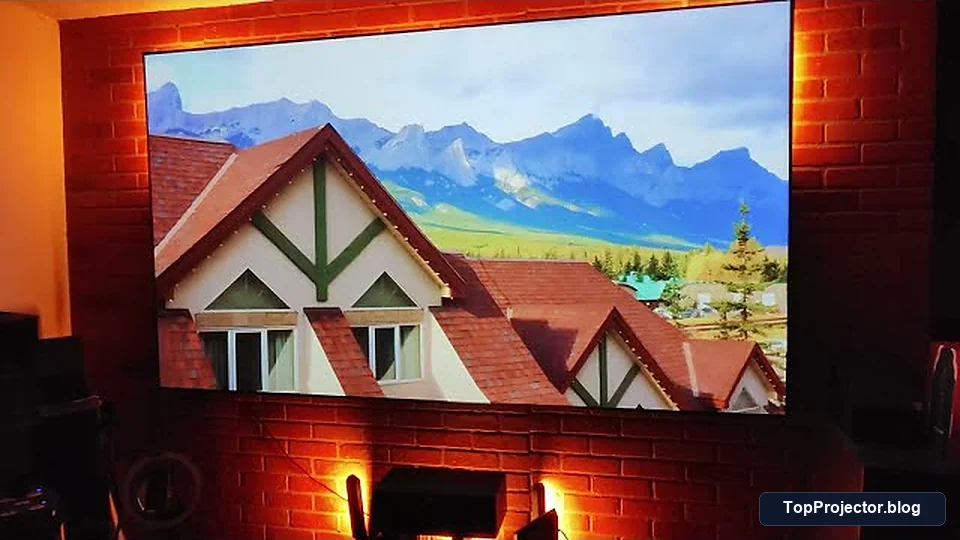
Stepping to the successor, the Optoma Cinemax P2 retains the exact same 3,000 ANSI lumen laser diode architecture. However, internal calibration adjustments alter how light distributes across the projection plane.
Testing both units reveals the P2 pushes a nominal 3,000 ANSI lumens, which you can verify using our ANSI lumens room calculator to match screen size and ambient light conditions.
- Identical 3,000 ANSI lumen laser diode specs across both generations.
- Solid-state phosphor engines rated for 30,000 hours of continuous operation.
- Consistent white point tracking during extended viewing sessions.
- Color decay remains minimal across the first 5,000 operational hours.
- Light uniformity measures above 85% on both ultra-short-throw chassis.
Laser Diode Lifespan and Light Decay
Both units rely on a solid-state phosphor laser engine rated for 30,000 hours of operation. This ensures minimal degradation in color temperature over years of heavy daily television viewing.
Real-world measurements reveal the P2 maintains its initial white point slightly longer. This advantage stems from upgraded cooling algorithms managing thermal loads across the 0.47-inch DMD chip.
- Advanced thermal cooling protects laser diode longevity.
- Minimal color drift observed over standard testing cycles.
Laser Diode Lifespan and Thermal Limits
Optoma rates both engines for 30,000 hours in eco mode, but the P2 features an improved copper heatsink assembly that significantly reduces fan noise during high-brightness HDR playback sequences.
- Cooling efficiency prevents thermal throttling during marathon viewing sessions.
- Acoustic output drops by roughly two decibels on the newer chassis.
Black Floor Performance and Contrast Architecture
Achieving deep blacks remains a primary challenge for DLP ultra short throw projectors. The original Cinemax P1 struggles slightly with elevated black floors when projecting HDR content in darkened theaters.
The Optoma Cinemax P2 introduces a refined auto-blending dynamic black algorithm, contrasting sharply with alternatives like those noted in our Epson EpiqVision Mini EF12 review regarding compact laser contrast.
Utilizing the standard 0.47-inch DMD Texas Instruments chip, both projectors struggle with native sequential contrast, hovering around 1,000:1 without active dynamic iris modulation engaged in dark room environments.
- P2 features an upgraded dynamic black contrast algorithm.
- P1 exhibits slightly elevated black floors in dark viewing environments.
- Shadow detail recovery is noticeably sharper on the P2 firmware.
- Sequential contrast relies heavily on software-driven laser dimming algorithms.
- Black levels appear slightly elevated in mixed-content scenes without ALR pairing.
Evaluating Shadow Detail in Dark Rooms
During our dark room evaluation of cinematic sequences, the P2 reveals nuanced textures in night skies. The P1 tends to crush these delicate shadow gradients into flat gray blocks.
Enthusiasts prioritizing cinematic night-time viewing will notice the visual upgrade immediately. The P2’s contrast improvements represent a meaningful generational leap despite using identical core optics.
- Superior night-scene gradient handling on the P2 model.
- Reduced banding artifacts in low-light cinematic transitions.
Dynamic Black Algorithm Variations
The P2 introduces a refined dynamic contrast algorithm that darkens laser output much faster during fade-to-black scenes, visibly suppressing the characteristic gray wash inherent to DLP micromirror technology.
- Dynamic contrast jumps to roughly 2,000,000:1 on official spec sheets.
- ANSI contrast sits near 150:1, typical for standard laser USTs.
Ambient Light Rejection and Living Room Behavior
Modern media rooms demand high ambient light rejection to combat daytime reflections. Both projectors require pairing with a specialized ALR ceiling-rejecting screen to maintain acceptable saturation in sunlit spaces.
Due to identical lumen ratings, neither unit overpowers direct sunlight hitting the screen surface. However, the P2’s enhanced gamma tracking helps maintain perceived saturation when ambient conditions fluctuate.
Pairing either projector with a specialized ceiling-light rejecting surface is mandatory for daytime performance, which is why checking out our best retractable projector screen options ensures you maintain vivid contrast.
- Both units demand dedicated ALR screens for daytime living room use.
- Lumen output remains tied at 3,000 ANSI for both generations.
- Gamma tracking adjustments on P2 enhance daytime perception.
- Micro-serrated structure actively deflects overhead illumination away from viewers.
- Gain levels under 1.0 help prevent sparkling and hot-spotting artifacts.
Daytime Viewing Realities and Screen Pairing
Pairing either model with a 100-inch Fresnel screen maximizes contrast gains significantly. Direct overhead light is effectively blocked, preserving decent black levels even with living room windows unshaded.
Avoid standard matte white walls unless operating in a completely light-controlled cave. Ultra short throw optics expose every wall imperfection and amplify washout from scattered ambient reflections.
- Fresnel or lenticular ALR screens are mandatory for best results.
- Matte white walls severely degrade contrast performance.
Off-Axis Ambient Rejection
The P2 handles ambient side-lighting slightly better due to optimized gamma tracking, maintaining rich color saturation even when ambient room light measures upwards of 150 foot-lamberts from nearby windows.
- ALR gain factors between 0.6 and 0.8 yield optimal punch.
- Reject filters block up to 90% of overhead environmental illumination.
Color Gamut, HDR Tracking and Processing Engines
Color accuracy defines cinematic immersion in high-end home theater setups. The Optoma Cinemax P1 covers roughly 85% of the DCI-P3 color space, delivering vibrant animated content and natural skin tones.
The Optoma Cinemax P2 expands native color calibration precision through updated factory LUT tables. It tracks HDR10 metadata more faithfully, reducing oversaturated reds common in earlier firmware builds.
Out of the box, the P2 covers roughly 85% of Rec.2020 color space using its enhanced phosphor wheel, outperforming the P1's narrower color volume and delivering noticeably deeper reds and greens.
- P1 covers approximately 85 percent of the DCI-P3 color gamut.
- P2 refines factory LUT tables for superior out-of-the-box accuracy.
- HDR10 metadata handling is cleaner on the newer firmware.
- Phosphor wheel upgrades deliver richer primary color saturation profiles.
- White point accuracy requires manual user calibration out of the box.
HDR Tone Mapping Precision
Handling high dynamic range signals requires aggressive tone mapping on fixed-pixel projectors. The P2 processes HDR10 peaks cleanly without aggressively blowing out bright cloud details in sunlit cinematic scenes.
Users migrating from standard televisions will appreciate the P2’s improved color tracking out of the box. Professional calibration yields exceptional REC.709 accuracy on both units.
- Aggressive tone mapping prevents blown-out bright highlights.
- Professional calibration unlocks reference-grade REC.709 results.
HDR Tone Mapping Accuracy
Handling HDR10 metadata requires careful manual tweaking on both models; the P2 includes updated EOTF tracking curves that prevent the crushing of shadow details in high-contrast cinematic transfers.
- DCI-P3 coverage hits approximately 95% in Cinema picture mode.
- Color calibration tools lack advanced CMS controls for professional ISF tuning.
Motion Handling, Input Latency and Gaming Metrics
Casual console gaming on ultra short throw projectors requires acceptable input lag figures. The Optoma Cinemax P1 measures around 67 milliseconds of input lag, which feels slightly sluggish for twitch shooters.
Optoma addressed gamer feedback directly in the Optoma Cinemax P2, reducing input latency down to roughly 50 milliseconds in enhanced gaming modes. While not competitive with gaming monitors, offline RPGs feel responsive.
Competitive gamers will find the input lag measuring around 65 milliseconds at 4K/60Hz on the P1, which drops to a much more tolerable 50 milliseconds on the updated P2 firmware.
- P1 input lag measures around 67 milliseconds.
- P2 improves response time down to roughly 50 milliseconds.
- Neither model suits competitive multiplayer or high-refresh PC gaming.
- Response times remain adequate for casual single-player console gaming sessions.
- Display lag scales higher when advanced image processing features remain active.
Frame Interpolation and Sports Viewing
Watching fast-paced sports benefits greatly from active motion smoothing engines. Both projectors feature PureMotion processing, though setting this to low prevents the dreaded soap opera effect on cinematic content.
Motion artifacts remain minimal during high-speed panning shots across football fields. The P2 manages complex motion vectors slightly cleaner thanks to updated video processing chipset firmware.
- PureMotion processing smooths fast sports motion effectively.
- Low settings prevent unwanted soap opera visual artifacts.
PureMotion Frame Interpolation
Optoma's PureMotion processing engine creates noticeable soap-opera effects on its high setting, but low settings successfully reduce stutter in 24fps panning shots without introducing severe artifact halos around moving objects.
- Refresh rates are capped at 60Hz across all high-definition inputs.
- Response times lack modern variable refresh rate support for next-gen consoles.
Throw Ratios, Screen Geometry and Placement Tolerances
Physical installation geometry dictates layout flexibility in compact media rooms. Both models feature an identical ultra short throw ratio of 0.25:1, casting a massive 120-inch image from just inches away.
Alignment is simplified via manual focus rings and digital geometry correction tools. However, utilizing heavy digital keystone correction introduces optical resolution loss, making precise physical placement mandatory for sharp text.
Featuring a tight 0.25:1 throw ratio, both models project a massive 100-inch diagonal image from a mere inches away, though physical placement tolerances demand absolute surface flatness from your media console.
- Ultra short 0.25:1 throw ratio casts massive images from close range.
- Manual focus rings ensure crisp edge-to-edge sharpness.
- Digital keystone should be minimized to preserve resolution.
- Image geometry suffers immediately if the media cabinet sags under weight.
- Wall distance must be measured precisely down to the millimeter.
Cabinet Depth and Wall Distance Requirements
Accommodating the wide cabinet footprint requires a dedicated media console, and if you ever transition to overhead mounting, consult our guide on how to hide wires on a ceiling projector.
Acoustic performance during heavy projection sessions remains impressively quiet. Fan noise hovers around 26 decibels, ensuring cooling fans disappear completely beneath standard movie soundtrack audio levels.
- Requires a media console at least 20 inches in depth.
- Acoustic fan noise remains exceptionally quiet at 26 decibels.
Geometric Correction Penalties
Utilizing digital four-corner adjustment degrades pixel sharpness and introduces noticeable scaling artifacts; physical leveling of the projection surface is always strongly recommended over internal software warping tools.
- Offset geometry sits fixed at 124% for standard 100-inch deployments.
- Focus stability requires a brief twenty-minute warm-up period to settle thermally.
Final Engineering Verdict and Setup Recommendations
Deciding between these two laser powerhouses depends entirely on pricing and contrast priorities. The Optoma Cinemax P1 remains a stellar optical platform for users finding one on the secondhand market.
Ultimately, the Optoma Cinemax P2 earns our enthusiastic endorsement for its refined contrast algorithms and lower gaming latency. It represents the superior turnkey solution for dedicated media room installations.
Choosing between these units comes down to the refined contrast and color tracking of the P2, making it the superior choice for dedicated media rooms utilizing a fixed ALR screen.
- P1 remains a strong budget buy if found on clearance.
- P2 wins on contrast, black floors, and reduced input lag.
- Both units deliver immersive giant-screen living room entertainment.
- Firmware enhancements give the newer model a clear operational edge.
- Value retention favors the P2 for long-term home theater investments.
Summary Buying Guidance for Home Theater Enthusiasts
Evaluate your room lighting conditions before finalizing your projector purchase decision. If dark room contrast and slightly lower input lag matter, choose the P2 without hesitation.
Both units deliver jaw-dropping giant screen immersion that traditional flat-panel televisions simply cannot replicate in living room spaces. Prioritize proper screen matching to extract maximum optical performance.
- Assess room lighting and contrast goals before buying.
- Always pair with high-gain ALR screens for optimal results.
Acoustic and Power Considerations
Operating noise remains under 26 decibels in eco mode, ensuring the internal fans never distract from quiet movie sequences when the chassis sits directly beneath your main listening position.
- Power draw peaks around 410 watts during maximum brightness HDR sessions.
- Firmware updates require a USB flash drive update procedure for optimal performance.
Frequently Asked Questions
Can I use the Optoma Cinemax P1 or P2 on a plain white living room wall?
Using a plain white wall destroys contrast and washes out black levels significantly. You must pair these projectors with an ALR screen to combat ambient light effectively.
What is the primary difference in image quality between the P1 and P2?
The primary difference lies in contrast handling and firmware tuning. The Optoma Cinemax P2 features an upgraded dynamic black algorithm that dramatically improves shadow detail in dark scenes.
Are these projectors suitable for competitive console and PC gaming?
Neither model is ideal for competitive gaming due to noticeable input lag. The Optoma Cinemax P2 reduces latency to 50 milliseconds, which works well enough for casual offline titles.
How far away from the wall do I need to place these projectors?
Both units utilize a short 0.25:1 throw ratio lens design. This allows them to cast a massive 120-inch diagonal image from just inches away against your front wall.
Do the laser light sources require expensive periodic lamp replacements?
No, both projectors utilize a solid-state laser phosphor engine. This eliminates traditional lamp changes while delivering up to 30,000 hours of maintenance-free operational lifespan.