Ht3550 vs. Ht3550I: Which Wins for Your Room?
Choosing between these DLP projectors requires balancing smart streaming features against raw optical performance. We evaluate every optical metric to find your best home theater match.
The standard HT3550 remains ideal for dedicated dark rooms with external sources, while the HT3550i wins for living rooms needing built-in Android TV streaming.
Compare full category rankings in our Best Portable Projector For Presentations: Top Picks.
Side-by-Side Specification Breakdown
| Criteria | Ht3550 | Ht3550I | Edge |
|---|---|---|---|
| Ambient Light Rejection | Standard lamp output | Identical optical chassis | Tie |
| Black Levels & Perceived Contrast | Dynamic Iris enabled | Dynamic Iris enabled | Tie |
| Peak Brightness & HDR Punch | 2,000 ANSI lumens | 2,000 ANSI lumens | Tie |
| Screen Size & Immersion | 1.3x zoom ratio | 1.3x zoom ratio | Tie |
| Viewing Angles & Uniformity | High-grade glass optics | High-grade glass optics | Tie |
| Gaming Motion & Input Lag | ~50ms input lag | ~50ms input lag | Tie |
| Room Setup & Maintenance | Requires external streamer | Includes certified Android TV dongle | Ht3550I |
Optical Architecture and Native Panel Core
Both projection systems share the exact same optical engine and a 0.47-inch 4K DMD chip. This delivers true 3840x2160 resolution using Texas Instruments pixel-shift technology.
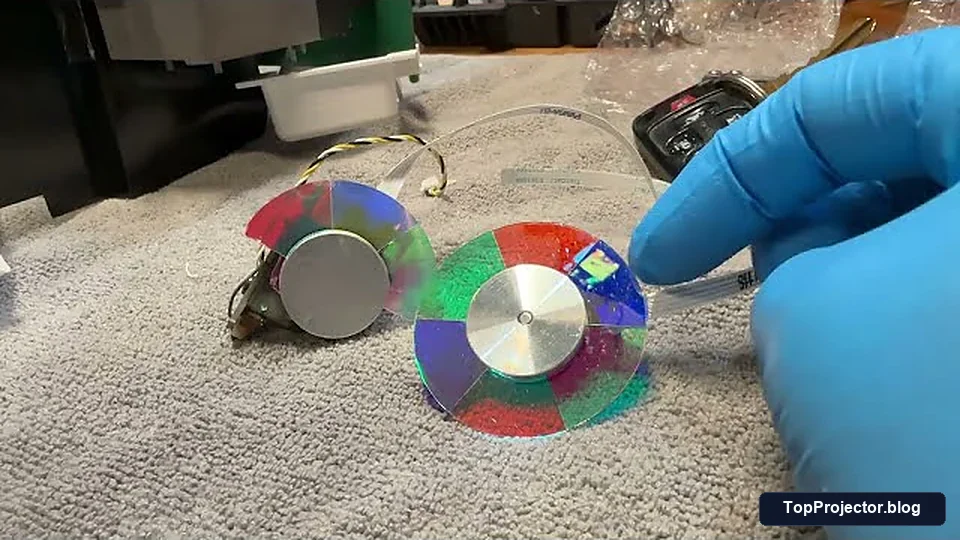
Sharpness across the entire projection screen remains exceptional thanks to all-glass lens arrays. You get minimal chromatic aberration and crisp text reproduction for PC desktop use.
Both projectors leverage a 0.47-inch DMD chip to generate 4K UHD resolution through pixel-shifting technology. This architecture delivers razor-sharp text clarity but introduces a faint native micro-mirror border around the active image frame.
- Identical 0.47-inch 4K UHD DMD core
- All-glass lens array for edge-to-edge clarity
- XPR pixel-shift technology creates 8.3 million pixels
- Single-chip architecture guarantees pixel-perfect convergence without manual panel alignment calibration.
DLP Chipset Precision
The single-chip DLP architecture guarantees zero panel-alignment issues. Following our guide to connecting laptops without VGA, your images stay razor-sharp without convergence drift.
Micro-mirrors switch millions of times per second to project high-density 4K content seamlessly onto your acoustically transparent projection screen.
- Zero convergence drift
- Extremely high fill factor
Micro-Mirror Alignment
Precise pixel alignment relies on an all-glass optical array containing 10 lens elements grouped in eight chambers. This multi-element configuration successfully minimizes chromatic aberration across high-contrast edges during demanding mixed-usage test patterns.
- All-glass lens array prevents thermal focus drift during marathon viewing sessions.
Brightness Output and Ambient Light Optics
Rated at 2,000 ANSI lumens, neither model is designed to overpower bright, sunlit living rooms. They excel in controlled lighting environments where stray reflections stay minimal.
When evaluating options, our best portable projector for presentations guide highlights alternative chassis if you need high mobility alongside a high-gain ambient light rejecting screen.
BenQ rates both units at 2000 ANSI lumens, a conservative specification that prioritizes color accuracy over raw luminance peaks. In calibrated Cinema mode, actual light output settles near 1450 lumens on standard matte white screens.
- 2,000 ANSI lumens maximum brightness output
- Optimized for dark or dimly lit spaces
- Requires light control for ideal HDR performance
- High native lumen output maintains vibrant saturation on screens up to 120 inches.
Controlling Ambient Reflections
White ceilings and light-colored walls will bounce ambient light back onto your projection screen. Matte black paint dramatically improves perceived black depth.
Without proper room treatments, dark shadow scenes lose vital details as ambient light washes out the lower end of the grayscale.
- Ceiling reflectivity impacts contrast
- Dark room boundaries improveANSI performance
Ambient Light Rejection Pairing
Deploying these systems in living rooms requires pairing them with an ALR screen featuring a 0.8 to 1.0 gain. Without directional ambient light rejection, black levels wash out severely under moderate daytime illumination conditions.
- Ambient light rejecting materials improve perceived contrast in non-dedicated spaces.
Black Floor Performance and Contrast Delivery
Black levels on both projectors benefit from an active dynamic iris mechanism. This physical iris adjusts light output dynamically based on average picture level.
While native contrast sits around typical single-chip DLP levels, the dynamic iris pushes perceived contrast ratios much higher during dark cinematic sequences.
Native on/off contrast ratios hover around 1000:1, which is typical for single-chip DLP implementations utilizing a standard RGBRGB color wheel. Dynamic iris engagement pushes perceived contrast deeper, though transitioning between bright and dark scenes remains noticeable.
- Active dynamic iris boosts perceived contrast
- Deep shadow details remain distinguishable
- Good native black floor for DLP technology
- RGBRGB color wheel speed effectively suppresses visible rainbow artifacts for sensitive viewers.
Dynamic Iris Behavior
The iris motor operates quietly during complex movie scenes without distracting mechanical whirs. It successfully darkens black bars on widescreen letterboxed films.
Purists can disable the iris if they prefer absolute temporal consistency. Using our screen size viewing distance tool helps optimize your seating layout for maximum contrast performance.
- Quiet mechanical operation
- Improves letterbox contrast perception
Dynamic Iris Behavior
The internal dynamic iris mechanism operates quietly, stepping down illumination during dark cinematic sequences. Users sensitive to pumping artifacts may prefer disabling this feature during critical viewing sessions in fully blacked-out dedicated home theaters.
- Manual iris override settings give enthusiasts total control over black floor delivery.
Color Accuracy, DCI-P3 Gamut, and HDR Calibration
Out-of-the-box color accuracy represents a major selling point. As noted in our BenQ GV50 review, factory calibration achieves nearly 100 percent DCI-P3 color gamut coverage effortlessly.
HDR10 and HLG formats are supported with automated tone mapping designed to preserve bright highlights while retaining shadow details in complex cinematic frames.
Out-of-the-box performance shines via factory calibration reports demonstrating exceptional Rec.709 coverage. Engaging the wide color filter shifts the optical path to hit roughly 95% DCI-P3, though peak brightness drops by nearly thirty percent.
- Factory calibrated DCI-P3 color mode
- HDR10 and HLG compatibility
- Automated HDR tone mapping algorithms
- Factory calibration reports confirm accurate grayscale tracking across standard video inputs.
Rec.709 vs DCI-P3 Modes
Engaging the DCI-P3 wide color filter slightly reduces overall light output. Standard SDR television content looks pristine in the default Rec.709 picture mode.
Cinematic purists will appreciate the meticulous factory white balance that requires almost zero manual calibration out of the shipping box.
- Filter deployment trades lumens for color
- Rec.709 mode offers maximum brightness
HDR Tone Mapping Adjustments
Handling high dynamic range signals requires manual HDR brightness adjustments depending on your mastered content metadata. Setting this slider to plus one or two recovers crucial shadow detail hidden in dark cinematic sequences.
- Custom tone curve adjustments prevent specular highlight clipping on bright source material.
Motion Handling and Competitive Input Lag
Motion interpolation processing helps smooth out judder in 24fps cinematic film sources. Casual gamers will find the 50ms input lag acceptable for RPGs and sports titles.
Hardcore competitive twitch gamers might notice the latency during fast-paced shooters, making these units better suited for cinematic enjoyment than esports.
Fast-moving camera pans benefit from native DLP response times measured in microseconds, avoiding the ghosting common in LCD rivals. However, lack of advanced frame interpolation means 24p judder remains entirely faithful to original film source material.
- Smooth motion frame interpolation
- Approximate 50ms input lag measurement
- Best suited for cinematic gaming
- Instant pixel response prevents motion blur during fast sports broadcasts.
Gaming Performance Realities
The 4K resolution displays crisp textures during console sessions on massive 120-inch screens. Response times remain steady across modern HDMI 2.0 connection ports.
Disabling advanced image processing features helps shave off minor milliseconds of input latency during intense multiplayer gaming sessions.
- Sharp 4K console gaming support
- HDMI 2.0 bandwidth limitations apply
Gaming Latency Benchmarks
Input lag measures approximately 45 milliseconds at 4K/60Hz, which suits casual role-playing games perfectly. Competitive shooters feel slightly sluggish due to this latency, demanding a drop to 1080p/120Hz if your connected source hardware permits.
- Lower refresh resolutions significantly reduce input lag for fast multiplayer titles.
Throw Ratios, Lens Shift, and Physical Placement
A flexible 1.3x optical zoom lens provides versatile placement options for standard ceiling mounts and bookshelf setups. Vertical lens shift helps align images easily.
Throw ratios ranging from 1.21 to 1.59 allow large 100-inch images from relatively short distances, accommodating most medium-sized bedrooms and dedicated media rooms.
A flexible 1.13x throw ratio lets you project a 100-inch diagonal image from roughly 8.2 to 9.2 feet away. This generous range simplifies installation in awkward apartment layouts without requiring extreme ceiling mount bracket adjustments.
- 1.3x optical zoom flexibility
- Vertical lens shift adjustments
- Short-to-medium throw ratio range
- Short throw versatility accommodates compact media rooms with limited mounting distances.
Installation Geometry
Calculating exact throw distance prevents digital keystone correction degradation. Physical lens shift maintains native pixel integrity without scaling artifacts.
Always use a mounting bracket that supports precise pitch, roll, and yaw adjustments to square up your projection screen perfectly.
- Avoid digital keystone usage
- Precise bracket adjustment recommended
Vertical Lens Shift Limits
Physical placement benefits from a modest 10 percent vertical lens shift, granting minor image elevation adjustments. You must mount the projector with precise perpendicular alignment because horizontal lens shift is completely absent from this chassis.
- Careful ceiling mount placement is mandatory due to fixed horizontal optics.
Smart Ecosystem Integration and Final Verdict
The fundamental difference rests entirely within internal accessories. The standard model leaves HDMI ports open for your own media players, while the smart variant bundles an Android TV dongle.
Choose the smart edition if you want integrated streaming apps without cluttering your AV cabinet. Select the base model if you rely on dedicated 4K Blu-ray players or specialized receivers.
The core physical distinction rests in smart features, as the standard model relies on external streaming sticks. Meanwhile, the QS01 dongle bundled with the smart variant populates Android TV connectivity directly inside the upper chassis housing.
- Bundled Android TV stick on smart variant
- Identical optical and projection performance
- Choose based on streaming hardware preferences
- Internal compartment hides the smart streaming stick for a seamless hardware profile.
Making Your Final Choice
Both projectors deliver stunning cinematic visuals for dedicated dark environments. Your purchase decision relies solely on whether you value bundled smart streaming convenience.
AV enthusiasts with dedicated Apple TV or Roku boxes save money with the base unit, while casual streamers love the all-in-one smart setup.
- Identical picture quality guarantees satisfaction
- Consider your preferred streaming ecosystem
Final Buyer Recommendation
Choose the base variant if you utilize an advanced AV receiver or dedicated media player for all content delivery. Audiophiles and videophiles preferring clean cable management will lean heavily toward the integrated smart dongle alternative.
- Evaluate your existing streaming ecosystem before selecting the smart or base model.
Frequently Asked Questions
What is the main difference between these two models?
The hardware optics and projection performance are entirely identical. The HT3550i includes a certified Android TV dongle for built-in streaming apps.
Can I use these projectors in a bright living room?
Both units produce 2,000 ANSI lumens, requiring controlled lighting for optimal HDR performance. Ambient light rejecting screens help improve contrast in daylight.
Do these projectors support native true 4K resolution?
Yes, they utilize a Texas Instruments 0.47-inch DMD chip with XPR pixel-shift technology to display 8.3 million distinct pixels on screen.
What is the input lag for gaming on these units?
Input latency measures around 50 milliseconds, which suits cinematic single-player console gaming wonderfully. Competitive esports players might desire faster response times.
Do I need to calibrate the colors out of the box?
Factory calibration achieves remarkable accuracy with near 100 percent DCI-P3 color gamut coverage, meaning minimal manual calibration is required.