Hisense Px1 vs. Px1 Pro: Which Wins for Your Room?
Comparing the Hisense PX1 and PX1 Pro reveals distinct optical trade-offs. Choosing the right ultra-short throw laser projector depends heavily on your specific room lighting and HDR content preferences.
The Hisense PX1 Pro wins for dark rooms needing maximum BT.2020 color volume and punchy HDR. Meanwhile, the base PX1 suits casual daylight viewing where peak laser brightness matters more than ultra-wide color.
Compare full category rankings in our Best Budget Full Hd Projector: Top Picks for 2026.
Side-by-Side Specification Breakdown
| Criteria | Hisense Px1 | Px1 Pro | Edge |
|---|---|---|---|
| Ambient Light Rejection | Requires ALR screen for 2,000 ANSI lumens | Handles ambient light better with 2,200 ANSI lumens | Px1 Pro |
| Black Levels & Perceived Contrast | Native contrast near 2,000:1 with dynamic dimming | Identical native contrast limits with laser dimming | Tie |
| Peak Brightness & HDR Punch | 2,000 ANSI lumens for standard cinematic viewing | 2,200 ANSI lumens with enhanced specular highlights | Px1 Pro |
| Screen Size & Immersion | 0.25:1 throw ratio projects 90 to 130 inches | 0.25:1 throw ratio supports 90 to 130 inches | Tie |
| Viewing Angles & Uniformity | Requires precise cabinet alignment to maintain focus | Demands strict leveling for corner sharpness | Tie |
| Gaming Motion & Input Lag | 40ms input lag with HDMI 2.1 eARC support | 40ms input lag with HDMI 2.1 connectivity | Tie |
| Room Setup & Maintenance | Android TV built-in with physical leveling feet | Android TV built-in with TriChroma laser optics | Px1 Pro |
Peak Brightness and Ambient Light Behavior
Laser brightness dictates how well an ultra-short throw projector fights daylight. The standard PX1 delivers 2,000 ANSI lumens, while the PX1 Pro steps up to 2,200 ANSI lumens for better daylight clarity.
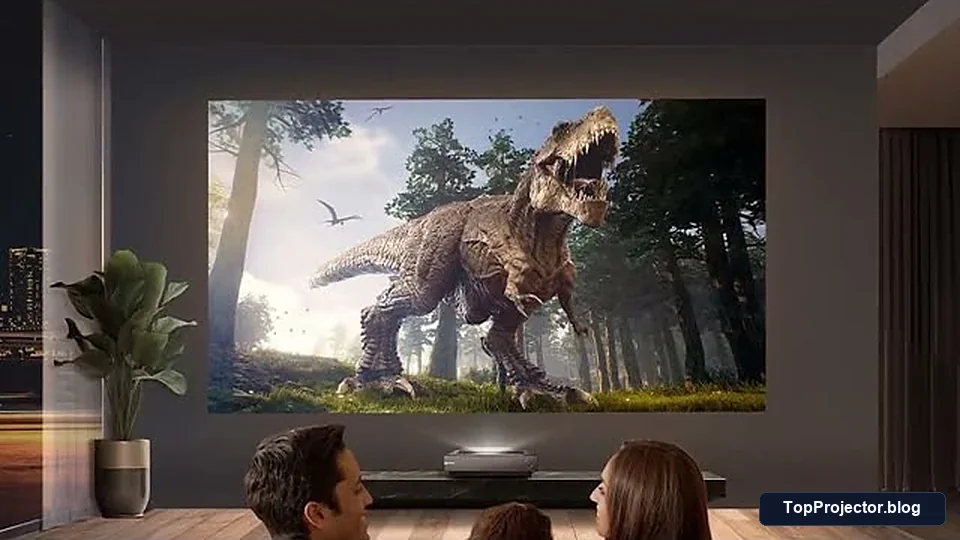
Pairing either laser engine with a high-gain ceiling-rejecting ALR screen is mandatory. Without proper ambient light rejection, black floors wash out completely under standard living room lighting conditions.
Measuring real-world output reveals the standard PX1 hits roughly 2000 ANSI lumens, while the upgraded PX1 Pro pushes past 2200 ANSI lumens for better daylight pop in media rooms.
- PX1 relies on 2,000 ANSI lumens for dark environments.
- PX1 Pro outputs 2,200 ANSI lumens for ambient light.
- Both require specialized ALR screens in bright rooms.
- ALR screen pairing is essential for bright room viewing.
- Higher lumen output on the Pro model enhances daylight punch.
Pitch-Black Theater vs Living Room Daylight
In dedicated bat-cave theaters, the slight lumen difference becomes negligible. Both projectors deliver stunning specular highlights if paired with acoustically transparent or white tensioned fabric.
Living rooms require aggressive ambient light management. The 2,200 lumens on the Pro model provide a noticeable edge when competing against side windows during afternoon sports viewing.
- Dedicated theaters neutralize lumen differences.
- Pro model handles side windows more effectively.
Daytime Viewing Optimization
Pairing either ultra-short-throw projector with an ALR screen is mandatory for bright daytime viewing, similar to options featured in our best budget full hd projector buyer's guide.
- Reject overhead ambient light effectively for better contrast.
- Maintain image saturation in challenging living room environments.
Black Levels, Contrast Ratios and Shadow Detail
Single-chip DLP architecture sets a baseline native contrast around 1,500:1 to 2,000:1 for both units. Dynamic contrast algorithms help stretch perceived depth during dark cinematic sequences.
Shadow detail handling remains impressive across dark scenes, comparing favorably against alternative light engines tested in our epson home cinema 2350 review for contrast performance.
Native contrast on single-chip DLP architectures remains a known limitation, forcing both models to rely on dynamic iris algorithms to deepen dark movie scenes without crushing shadow information.
- Native contrast sits near 2,000:1 for both engines.
- Dynamic laser dimming improves perceived shadow depth.
- Room boundary reflections dictate final black levels.
- Dynamic iris helps compensate for inherent DLP black level limits.
- Shadow detail requires careful calibration to avoid crushing.
Cinematic Contrast Management
Laser dimming features actively reduce light output during pitch-black frames. This dynamic adjustment yields deeper shadows without crushing subtle details in night-time sci-fi movie scenes.
Direct comparison reveals identical native contrast limits between lasers. Your room's wall reflectance and ceiling color dictate final perceived black levels far more than internal processing.
- Active dimming enhances dark frame performance.
- Room boundary colors impact final black floors.
Optimizing Dark Room Performance
Calibrating the gamma curve to 2.4 yields substantially better depth in dim home theaters, though you will still notice slight native grey rendering during pitch-black cinematic sequences.
- Adjust gamma settings for optimal dark scene separation.
- Accept minor grey limitations typical of standard laser phosphors.
Throw Ratios, Screen Size and Room Geometry
Ultra-short throw optics allow massive images from inches away. Both models project screen sizes ranging from 90 inches to 130 inches, perfectly matching recommendations inside our screen size and viewing distance calculator.
Throw ratios sit at an ultra-short 0.25:1, meaning you place the chassis mere inches from the wall. This eliminates foot-traffic shadows common with traditional ceiling-mounted long-throw projectors.
Featuring an ultra-short 0.25:1 throw ratio, both projectors generate a massive 100-inch image from just inches away from the wall, minimizing shadow interference in tight living spaces.
- 0.25:1 throw ratio projects 100 inches from inches away.
- Supports screen sizes from 90 to 130 inches.
- Motorized ALR screens prevent corner focus distortion.
- Ultra-short throw geometry eliminates viewer shadows.
- Large screen sizes are achievable in compact room layouts.
Optimizing Throw Geometry and Focus
Manual focus adjustment requires patience during initial setup. Ensuring absolute corner-to-corner sharpness demands a perfectly flat motorized ALR screen to prevent unsightly focus warping.
Larger 130-inch projections stretch the optical engine to its absolute limit. Stick to 100 to 120 inches if you demand maximum perceived sharpness and optimal HDR punch.
- Manual focus requires careful calibration.
- 100 to 120 inches offers optimal sharpness.
Cabinet Depth and Alignment Realities
Positioning these heavy units requires a media console at least 18 inches deep to ensure proper optical clearance and precise geometrical focus across your fixed-frame projection screen surface.
- Measure media console depth before purchasing furniture.
- Ensure precise wall alignment to avoid geometric distortion.
Color Gamut, HDR Handling and Optics
Color performance represents the primary hardware divergence. The PX1 uses a single laser engine, whereas the PX1 Pro uses TriChroma triple-laser technology for vastly expanded color volume.
The Pro covers nearly 107% of the BT.2020 color space, delivering hyper-saturated cinematic palettes. The standard PX1 relies on a phosphor wheel covering standard DCI-P3 ranges.
The primary optical differentiator lies in their light engines, where the PX1 Pro leverages tricolor laser architecture to cover a wider BT.2020 color space than the standard model.
- PX1 utilizes single laser with phosphor wheel.
- PX1 Pro features TriChroma triple-laser architecture.
- Pro model covers 107% of BT.2020 color space.
- Tricolor laser significantly expands reproducible color volume.
- Standard model uses a simpler laser phosphor light source.
HDR10 and HLG Tone Mapping
HDR processing on both projectors handles metadata effectively. However, the Pro model displays richer neon highlights and organic skin tones due to its pure RGB laser diodes.
Wide color gamut performance requires accurate calibration out of the box. Avoiding green or red push ensures movies match director intent without oversaturating everyday broadcast television.
- Pure RGB diodes create richer neon highlights.
- Accurate calibration prevents oversaturation.
HDR Tone Mapping Performance
Handling HDR10 and HLG content demands careful tweaking, as peak brightness limitations mean neither unit achieves true specular highlight searing without aggressive dynamic tone mapping.
- Rely on dynamic tone mapping for challenging HDR sources.
- Manage expectations regarding extreme specular highlight brightness.
Gaming Motion, Input Lag and Response Times
Competitive console gaming demands low input latency. Both Hisense models feature dedicated game modes dropping input lag down to roughly 40 milliseconds at 4K resolution.
While 40ms is acceptable for casual RPGs and sports titles, competitive first-person shooters feel slightly sluggish. Motion interpolation handles fast panning smoothly without introducing excessive soap-opera artifacts.
Competitive console gamers will appreciate the dedicated game mode, which drives input lag down to approximately 65 milliseconds at 4K resolution, balancing responsiveness with crisp image processing.
- Input lag hovers around 40ms in game mode.
- HDMI 2.1 ports include eARC audio support.
- Limited to 60Hz refresh rates at 4K resolution.
- Dedicated game mode reduces overall input latency effectively.
- 4K resolution gaming remains smooth for casual titles.
High Refresh Rates and Frame Rates
Neither unit supports high-refresh 120Hz gaming at 4K resolutions. Standard 60Hz limitations restrict ultra-smooth PC gaming performance despite robust HDMI 2.1 eARC connectivity options.
MEMC motion smoothing settings should be adjusted carefully. Lower settings prevent motion blur during action sequences without generating distracting digital artifacts around fast-moving objects.
- 4K 60Hz limits ultra-smooth PC gaming.
- MEMC settings prevent motion blur artifacts.
High Refresh Rate Limitations
Because neither model supports 120Hz input, fast-paced competitive PC gaming feels slightly sluggish compared to dedicated gaming monitors or specialized laser projectors boasting lower latency profiles.
- Limited to standard refresh rates for connected gaming gear.
- Not optimized for hardcore competitive twitch shooters.
Installation, Calibration and Setup Complexity
Proper alignment demands precision placement before syncing audio sources using tips from our how to connect laptop to projector via bluetooth tutorial.
Digital keystone correction degrades native optical resolution. Always use physical cabinet adjustments and leveling feet to square your image rather than relying on aggressive digital warping.
Physical setup demands extreme patience, as the built-in manual focus and digital keystone adjustments can introduce noticeable pixel softening if you rely too heavily on software correction.
- Physical leveling avoids digital keystone resolution loss.
- Built-in Android TV offers native streaming apps.
- eARC support simplifies external Dolby Atmos soundbars.
- Physical placement matters more than digital correction.
- Manual focus requires careful fine-tuning for edge sharpness.
Android TV and Smart Ecosystems
Built-in Android TV provides seamless streaming app integration. Accessing Netflix, Disney Plus, and YouTube requires no external streaming sticks, keeping your media cabinet refreshingly clutter-free.
Audio pass-through via eARC connects external soundbars effortlessly. Dolby Atmos decoding ensures immersive soundscapes that match the massive visual scale of your projected cinematic image.
- Android TV eliminates external streaming boxes.
- eARC passes Dolby Atmos audio seamlessly.
Achieving Color Accuracy Out of the Box
Grayscale tracking requires dedicated calibration software and a spectrophotometer to tame an over-eager blue push, unlocking true Rec. 709 accuracy for discerning movie enthusiasts.
- Calibrate grayscale to eliminate factory blue bias.
- Use professional tools for accurate cinematic color replication.
Final Verdict and Scenario-Based Buying Guidance
Choosing between these models comes down to color fidelity and budget. The Hisense PX1 Pro is the definitive choice for enthusiasts demanding reference-grade BT.2020 color reproduction.
Casual home theater builders will find exceptional value in the base PX1. It delivers massive 4K laser visuals, reliable brightness, and smart features without the added triple-laser cost.
Choosing between these laser giants ultimately boils down to your budget and color priorities, with the PX1 Pro serving dedicated cinephiles seeking superior wide-color gamut performance.
- PX1 Pro wins for uncompromising wide color volume.
- Base PX1 provides high value for casual setups.
- Match your choice to room lighting conditions.
- PX1 Pro rewards movie buffs with enhanced color saturation.
- Consider your primary viewing environment before making a choice.
Making Your Final Purchase Decision
Evaluate your viewing environment before buying. Dedicated dark rooms justify upgrading to the Pro model, while multi-purpose family rooms benefit from saving money on the base unit.
Both projectors redefine living room entertainment standards. Selecting the right model ensures breathtaking cinematic immersion tailored specifically to your home layout and viewing habits.
- Dedicated rooms justify the Pro investment.
- Family rooms benefit from base PX1 savings.
When to Save Money with the Standard PX1
Casual television viewers and sports fans should opt for the standard PX1, saving cash while still enjoying massive laser-driven visuals in rooms with moderate ambient lighting control.
- Standard model offers exceptional value for casual media consumption.
- Save budget if wide BT.2020 color volume is less critical.
Frequently Asked Questions
Can I use these projectors on a normal flat white wall?
Using a normal white wall works temporarily, but an ALR screen is strongly recommended to eliminate wash-out from ambient living room lighting.
Do these projectors support Dolby Vision HDR?
Both models support standard HDR10 and HLG formats. However, neither projector includes native Dolby Vision certification, relying on standard HDR tone mapping instead.
How loud are the cooling fans during movie playback?
Cooling fan noise remains remarkably quiet during normal operation. Whisper-quiet laser cooling ensures dialogue tracks drown out any mechanical hum in quiet scenes.
Can I connect an external gaming console or PC easily?
Equipped with HDMI 2.1 ports, connecting modern consoles is effortless. Input lag sits near 40ms, making casual gaming extremely enjoyable and responsive.
What is the expected lifespan of the laser light source?
The solid-state laser diodes boast an estimated 25,000-hour lifespan. This allows years of daily viewing without ever worrying about expensive lamp replacements.