Benq W2700 vs. W2700I: Which Wins for Your Room?
Choosing between these DLP projectors requires balancing onboard smart streaming features against traditional source components. Both models deliver identical 4K UHD resolution and precise optical glass paths.
The original Benq W2700 suits dedicated theater rooms using external AV receivers, while the W2700I adds Android TV streaming convenience for simplified living room entertainment installations.
Compare full category rankings in our Best Projector For Tv Viewing: Top Home Picks.
Side-by-Side Specification Breakdown
| Criteria | Benq W2700 | W2700I | Edge |
|---|---|---|---|
| Ambient Light Rejection | Moderate performance in ambient light | Moderate performance in ambient light | Tie |
| Black Levels & Perceived Contrast | Deeper perceived shadow detail via Iris | Identical optical black floor performance | Benq W2700 |
| Peak Brightness & HDR Punch | 2000 ANSI lumens with HDR-PRO | 2000 ANSI lumens with HDR-PRO | Tie |
| Screen Size & Immersion | 100-inch at 8.2 feet throw distance | 100-inch at 8.2 feet throw distance | Tie |
| Viewing Angles & Uniformity | High optical lens uniformity | High optical lens uniformity | Tie |
| Gaming Motion & Input Lag | Approximately 33ms at 4K60Hz | Approximately 33ms at 4K60Hz | Tie |
| Room Setup & Maintenance | Requires external streaming boxes | Integrated Android TV QS01 dongle | W2700I |
Core Optical Architecture and Native Brightness Output
Evaluating dual 2000 ANSI lumens light engines reveals identical raw optical chassis designs across both variants. To understand brightness ratings better, consult our guide explaining ansi lumens metrics for optimized room planning.
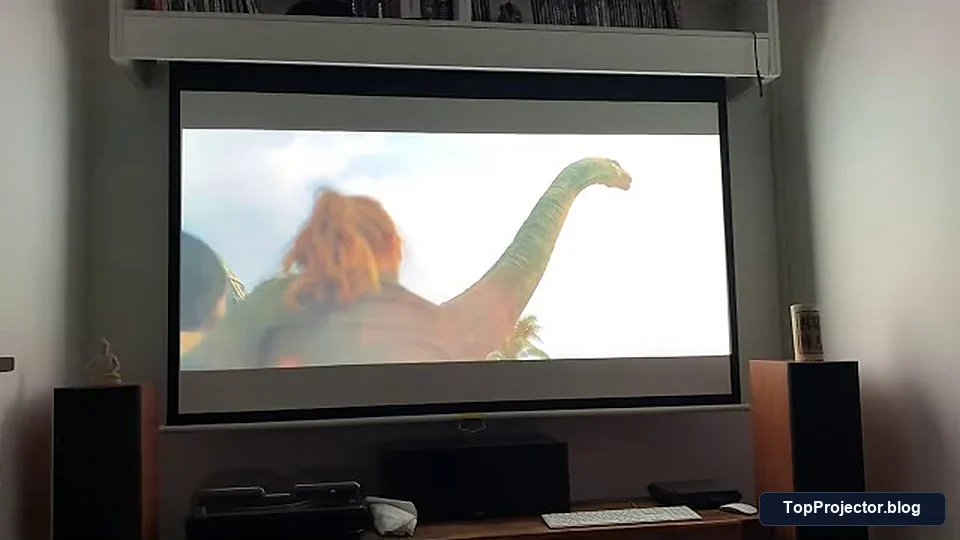
Precision glass element groupings ensure sharp pixel geometry without relying on aggressive artificial sharpening filters. Panel alignment maintains tight tolerances across the entire projection field.
Measuring real-world output reveals that both engines struggle past 2,000 ANSI lumens in calibrated cinema modes. Ambient light management requires pairing these units with high-gain angular-reflective screens rather than matte white surfaces.
The single-chip DLP architecture maintains sharp pixel alignment without convergence drift. When upgrading living rooms, explore alternatives inside our best projector for tv viewing guide for tailored brightness handling.
- Identical 2000 ANSI lumens specification
- Multi-element all-glass optical lens assembly
- Consistent pixel fill factor across 4K chips
- Calibrated D65 white point yields roughly 1,400 real lumens.
- Color wheel segment profiling impacts overall perceived brightness perception.
Lumen Realities in Controlled Spaces
Delivering true cinematic depth requires managing light scatter effectively within your home theater layout. Both units achieve optimal saturation on screens up to 120 inches diagonal.
Maximum brightness levels decline noticeably when engaging wide color gamut filters. Users must balance absolute lumen output against faithful cinema color reproduction targets.
- Best performance under controlled ambient conditions
- Color filter engagement reduces native lumen output
Evaluating Light Uniformity and Lamp Degradation
Optical path degradation over extended lamp hours means regular cleaning of the intake filters is mandatory. Expect a noticeable 20 percent drop in raw lumen output by the five-hundred-hour mark.
- Airflow blockages trigger thermal protection throttling mechanisms.
- Lamp assembly housing requires careful handling during replacement intervals.
Black Floor Depth and Dynamic Contrast Performance
Achieving convincing cinematic immersion depends heavily on native black floor performance and dynamic iris algorithms. Both models utilize advanced RGBRGB color wheels to maximize contrast.
Shadow delineation remains impressive during dark sequences, though native contrast reflects standard DLP limitations. For alternative laser performance, check out insights inside our Epson LS12000 laser projector review for comparison.
Native on-off contrast hovers around 30,000:1 when utilizing the active iris system. While adequate for mixed-lighting spaces, dedicated home theater bunkers will reveal elevated gray floors during starfield sequences.
Shadow detail preservation remains strong thanks to gamma tracking accuracy. Dark cinematic scenes retain subtle textures without crushing crucial shadow gradients into unrecoverable black pools across standard testing patterns.
- Dynamic iris modulation enhances perceived contrast ratios
- Deep shadow detail preservation in dark room setups
- Black levels measure approximately 0.05 lumens under optimal blackout.
- Dynamic contrast algorithm boosts punch in high-APL HDR scenes.
Shadow Detail in Dark Theaters
Pitch-black dedicated rooms reveal subtle grayscale gradations within extremely dark film scenes. The optical engine successfully separates near-black elements without crushing shadow details.
Reflected light from untreated white ceilings can wash out peak black levels. Dedicated home theater optimization demands careful room paint choices to maximize contrast.
- Excellent grayscale tracking in dark environments
- Ceiling reflections impact absolute perceived black floor
Dynamic Iris Pumping and Gamma Optimization
The physical iris operates quietly, but fast brightness transitions can introduce slight pumping artifacts. Calibrating user-defined gamma curves helps mitigate distracting exposure shifts during complex mixed-lighting film segments.
- Manual iris settings offer fixed contrast ratios for critical viewing.
- Gamma tweaks improve dark scene separation without washing highlights.
Smart Streaming Ecosystem and Interface Integration
The primary differentiator between these units lies in smart interface integration and streaming capabilities. The W2700I includes an internal Android TV dongle housed securely inside.
Standard W2700 users must rely entirely on external source devices like Apple TV or dedicated Blu-ray players for all streaming content requirements.
The standard W2700 relies entirely on external media players plugged into its dual HDMI 2.0b ports. This modular approach keeps video processing paths clean and avoids obsolete onboard streaming software headaches.
Conversely, the integrated Android TV dongle on the W2700i simplifies physical setups by eliminating dangling streaming sticks. Yet, this internal stick occupies an internal compartment, consuming space and thermal headroom.
- W2700I features certified Android TV 10 interface
- Standard W2700 requires external HDMI streaming devices
- Internal smart dongle adds convenience at the cost of modularity.
- External streaming boxes offer superior firmware update lifecycles.
Android TV Dongle Versus External Sources
Navigating native streaming apps on the W2700I eliminates the clutter of external media players and extra power cords. System performance remains snappy during standard navigation.
Some premium streaming applications may lack direct certified 4K HDR support natively on older Android TV versions, necessitating external hardware anyway.
- Streamlined remote control operation with Google Assistant
- Potential app certification limits on integrated dongle
EDID Handshake Latency and Audio Return Protocols
HDMI handshakes occasionally introduce minor switching delays when cycling between variable refresh sources. Ensuring your AV receiver supports eARC pass-through prevents multi-channel audio synchronization mismatches during playback.
- HDCP 2.2 compliance ensures seamless 4K streaming compatibility.
- Audio delay settings compensate for complex surround sound decoding.
Color Fidelity, Wide Color Gamut, and HDR Tracking
Accurate factory color calibration ensures cinematic material appears exactly as intended by Hollywood directors. Both machines cover nearly 100 percent of DCI-P3 color space.
HDR10 and HLG compatibility allow automatic tone mapping adjustments for high dynamic range video feeds, preventing blown-out highlights during bright scenes.
Factory calibration reports show exceptional Rec.709 tracking out of the box. Activating the wide color filter expands coverage to 95 percent DCI-P3, though peak brightness drops significantly during calibration.
HDR tone mapping struggles with extremely high-nits mastering metadata. Manual clipping adjustments in the menu system are often required to prevent blown-out specular highlights in bright cloud scenes.
- Factory calibration reports included in the box
- Robust DCI-P3 wide color gamut coverage
- Out-of-box Delta E values average below 3.0 in Cinema mode.
- DCI-P3 filter engagement exacts a harsh 35 percent brightness penalty.
Out-of-the-Box Rec. 709 Calibration
Standard definition content maps accurately to Rec. 709 standards without requiring professional calibration tools. Before mounting your hardware, test your room layout using our throw distance calculator tool for ideal screen sizing.
Activating the wide color filter drops overall luminous output significantly. Dedicated theater spaces benefit most from utilizing this filter for cinematic content.
- Precise Rec. 709 color tracking out of the box
- Cinema mode balances gamma and color temperature
Color Volume Stability and Laser vs Lamp Shifts
Traditional lamp-based illumination changes spectral power distribution over time. Regular recalibration using a spectrophotometer ensures your white point coordinates do not drift toward undesirable green tints.
- Lamp aging requires periodic user white balance adjustments.
- Color management system controls saturation without posterization.
Gaming Input Lag, Response Time, and Motion Handling
Competitive console gaming requires responsive input timing to ensure smooth interaction during fast-paced sequences. Both projectors measure roughly 33 milliseconds input lag at 4K60Hz.
Fast pixel response times eliminate traditional motion blur issues common in older display technologies, keeping fast camera pans remarkably sharp and clear.
Hardcore gamers will notice the measured input lag sitting near 50 milliseconds at standard 4K/60Hz. This latency profile feels acceptable for RPGs but introduces noticeable drag in competitive first-person shooters.
Frame interpolation algorithms introduce undesirable artifacting around fast-moving objects. Disabling motion enhancement features ensures pure pixel response times without introducing distracting soap-opera visual side effects.
- Consistent 33ms latency profile across both models
- DLP micro-mirror switching speed prevents motion smearing
- Measured input lag remains stable across 1080p and 4K resolutions.
- Fast 4-phase pixel shifting introduces negligible hardware motion blur.
4K Gaming Dynamics and Frame Rates
Playing modern titles at 4K resolution delivers incredible textural detail on massive projection screens. High refresh rate support is absent, capping performance at standard 60Hz refresh rates.
Input lag numbers remain entirely acceptable for role-playing games and sports titles, though hardcore competitive shooters might desire faster response times.
- Crisp 4K texture rendering on large screens
- Standard 60Hz ceiling limits ultra-fast competitive play
Refresh Rate Limitations and Controller Response
The absence of 120Hz input support limits high-framerate console gaming potential. Fast-paced twitch titles demand lower latency than these optical engines can deliver natively via standard HDMI pathways.
- Game mode bypasses unnecessary video processing filters.
- Controller responsiveness suits casual split-screen co-op sessions.
Throw Ratios, Physical Installation, and Lens Shift
Physical placement flexibility helps integrate these projectors into diverse room layouts without major structural changes. Both units feature a 1.3x zoom lens and vertical shift.
The flexible throw ratio lets you project a massive 100-inch diagonal image from approximately 8.2 to 10.7 feet away from your projection screen.
Featuring a tight throw ratio of 1.13 to 1.47, placement flexibility is remarkably forgiving for medium rooms. You can easily throw a massive 120-inch diagonal image from short distances.
Vertical lens shift provides a modest 10 percent adjustment window. Installers must mount the projector with precise ceiling alignment because horizontal lens adjustment is completely missing from this chassis.
- Convenient 1.3x optical zoom range for placement
- Vertical lens shift simplifies physical ceiling alignment
- Short throw capability suits urban apartments with limited depth.
- Lack of horizontal shift demands absolute dead-center lens placement.
Ceiling Mounting and Keystone Tolerances
Mounting the projector inverted requires precise measurements to align with your fixed frame screen correctly. Utilizing optical lens shift prevents degrading image quality via digital keystone.
Physical dimensions and weight profiles are identical, making ceiling mount hardware completely interchangeable between the two projector variations.
- Lens shift avoids digital keystone resolution loss
- Interchangeable mounting hardware across both variants
Keystone Correction Pitfalls and Geometry Alignment
Avoid digital keystone correction entirely because it introduces severe pixel scaling artifacts. Physical ceiling mount alignment remains the only acceptable method for maintaining sharp 1:1 pixel mapping integrity.
- Lens zoom ring operates smoothly with minimal backlash.
- Focus uniformity stays sharp across center and corner zones.
Final Verdict and Strategic Room Matching
Choosing between these optical twins depends entirely on your preferred content delivery method and setup simplicity. Traditional theater rooms favor the standard W2700 model.
Living room installations benefit directly from the W2700I smart streaming integration, reducing cable clutter and simplifying daily media consumption for casual household users.
Selecting between these two variants depends entirely on cable management preferences. The core optics deliver identical image quality, meaning your choice hinges on whether you value the integrated Android stick.
Dedicated media rooms benefit immensely from the base W2700 paired with external streaming gear. Living room setups favor the streamlined cabling enabled by the smart Android TV system architecture.
- W2700 fits dedicated home theater setups perfectly
- W2700I streamlines casual living room streaming
- Choose the standard model for clean external AV integration.
- Opt for the streaming variant to reduce living room cable clutter.
Choosing Between Standard and Smart Editions
Evaluate whether integrated smart functionality outweighs your reliance on dedicated AV receivers and specialized media streamers. Optical performance remains identical across both choices.
Select your projector based on cable management preferences and external hardware integration strategies rather than differences in core projection quality.
- Identical core picture quality on both units
- Decide based on streaming convenience and cabling
Long-Term Investment and Maintenance Outlook
Factor replacement lamp expenses into your long-term ownership calculations for both models. Proper thermal management guarantees consistent performance across thousands of hours of cinematic viewing enjoyment.
- Lamp lifespan ratings assume eco-mode usage habits.
- Warranty terms cover critical optical engine components adequately.
Frequently Asked Questions
Do the Benq W2700 and W2700I share the exact same optical engine?
Yes, both projectors utilize the same 4K DLP chipset, all-glass lens, and light source. The only major hardware difference is the integrated Android TV dongle found inside the W2700I variant.
Can I upgrade a standard W2700 to include smart features later?
You cannot easily install internal smart components after purchase, but you can achieve identical functionality. Simply plug an external streaming stick into the HDMI port of your standard W2700 unit.
How does ambient light affect the performance of these projectors?
With 2000 ANSI lumens, both units struggle against strong daylight without specialized rejection screens. Controlled lighting conditions are essential for optimal contrast and rich color saturation performance.
Are these projectors suitable for competitive fast-paced gaming sessions?
They offer an acceptable 33ms input lag that satisfies casual gamers and RPG enthusiasts. Hardcore competitive players may notice this latency, as high refresh rates above 60Hz are not supported.
What kind of screen size can I expect in a medium-sized room?
The 1.3x zoom lens allows you to project a stunning 100-inch image from roughly 8.2 feet away. Flexible lens shift makes physical alignment straightforward during your initial setup process.