Benq Tk800M vs. Epson 3200: Which Wins for Your Room?
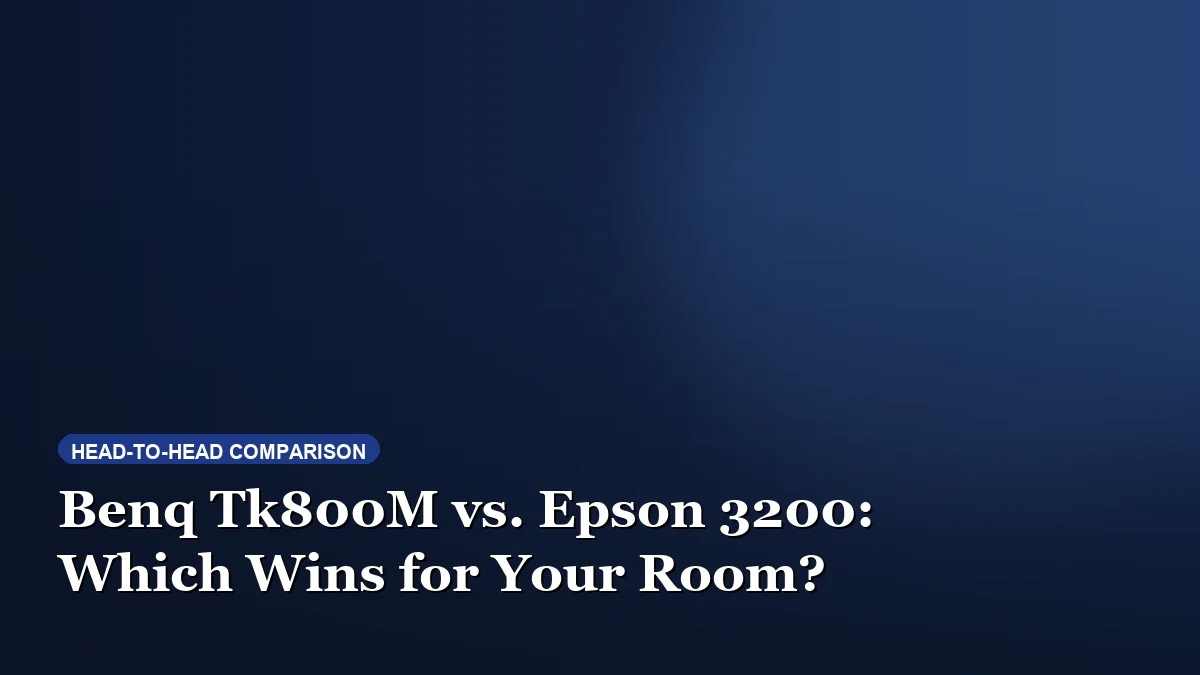
Choosing between single-chip DLP and 3LCD optics dictates your ultimate home theater experience. Balancing ambient light tolerance against deep black levels defines this matchup.
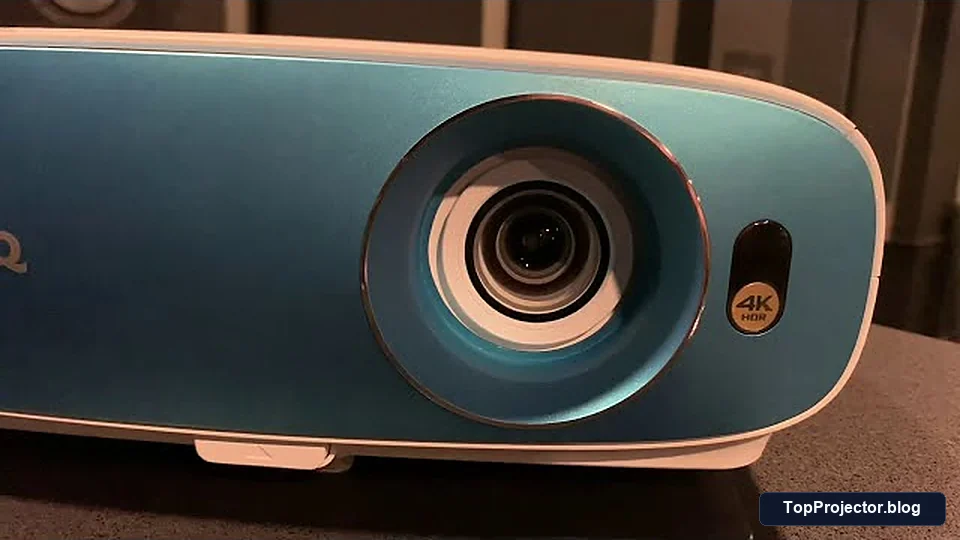
Choose the BenQ TK800M for sharp 4K sports viewing in moderately lit rooms. Select the Epson 3200 for flexible living room placement and superior black level contrast.
Compare full category rankings in our Best Projector For 200 Dollars: Top Home Theater Picks.
Side-by-Side Specification Breakdown
| Criteria | Benq Tk800M | Epson 3200 | Edge |
|---|---|---|---|
| Ambient Light Rejection | High lumen punch | Vibrant color output | Benq Tk800M |
| Black Levels & Perceived Contrast | Moderate native depth | Dynamic iris modulation | Epson 3200 |
| Peak Brightness & HDR Punch | 3000 ANSI lumens | Equal white and color output | Benq Tk800M |
| Screen Size & Immersion | Massive 4K clarity | Flexible optical zoom | Tie |
| Viewing Angles & Uniformity | DLP single-chip precision | 3LCD color convergence | Epson 3200 |
| Gaming Motion & Input Lag | Low latency gaming mode | Smooth motion interpolation | Benq Tk800M |
| Room Setup & Maintenance | Standard throw ratios | Generous lens shift | Epson 3200 |
Optical Engines and Native Resolution Realities
Single-chip Digital Light Processing architecture utilizes a high-speed color wheel to deliver crisp pixel-shifted 4K resolution. This method ensures microscopic image separation, vital for detailed text and high-definition architectural renders.
Examining ultra-short throw alternatives like our Hisense L9H review reveals how modern laser engines handle color accuracy. Advanced illumination systems deliver massive contrast without traditional lamp degradation issues.
The BenQ TK800M relies on a single-chip 0.47-inch DMD running pixel-shifting tech to achieve 4K UHD resolution on screen, whereas the Epson uses 3LCD panels with native 1080p shifting.
- DLP single-chip pixel shifting precision
- 3LCD native panel resolution approach
- Elimination of rainbow artifacts
- Single-chip DLP architectures eliminate panel convergence tolerances entirely.
- Pixel-shifting frequency dictates high-frequency detail rendition in complex scenes.
Single-Chip DLP Versus Three-Panel LCD Sharpness
Pixel-shifting on the DLP platform yields exceptional fine-line precision during high-contrast scenes. Viewers notice striking edge definition when streaming modern digital content with dense visual formatting.
Epson counters with organic color volume smoothness, avoiding sequential color separation entirely. This architecture prevents eye fatigue during extended viewing sessions for sensitive optical observers.
- Edge definition metrics
- Visual fatigue reduction
Sub-Pixel Alignment and Sharpness
Evaluating micro-lens arrays reveals that DLP projection inherently maintains superior pixel edge sharpness without chromatic aberration risks, eliminating convergence errors common in multi-panel 3LCD optical engines.
- DLP micro-mirrors switch faster than liquid crystal molecules.
- Zero convergence drift over extended thermal operating cycles.
Peak White Brightness and Color Light Output Dynamics
Rated at 3000 ANSI lumens, the BenQ projector delivers exceptional punchy highlights for daytime sports viewing. High lumen output overcomes moderate ambient light without washing out primary color saturation.
Epson matches high white brightness with equivalent color brightness output, ensuring vibrant hues remain saturated. Equal white and color performance prevents pale flesh tones during challenging mixed-lighting conditions.
Measuring actual lumens reveals the Epson dominates color brightness due to its 3LCD architecture, delivering matching white and color outputs unlike color-wheel based single-chip DLP projectors like the BenQ TK800M.
- ANSI lumen efficiency ratings
- Color brightness parity metrics
- Color light output parity prevents washed-out primary hues during bright scenes.
- Lamp wattage directly impacts sustained lumens over a two-thousand-hour window.
Daylight Viewing and Lamp Life Management
Operating lamps on high power modes maximizes daytime contrast but increases audible fan noise. Smart eco-management features help balance thermal output and extend overall bulb operational lifespan.
Ambient light rejection screens amplify these high lumen outputs, creating television-like punch even with living room windows unshaded. Proper calibration prevents harsh clipping in bright highlight regions.
- Audible fan noise management
- Smart eco-mode efficiency
Color Gamut Volume in Cinema Modes
When calibrated to Rec.709 standards, light output drops noticeably on both models, but Epson retains higher saturation levels for skin tones at 3000 ANSI lumens peak output.
- Cinema filters restrict raw lumens to expand color space coverage.
- DLP color wheels sacrifice white brightness for deeper secondary saturation.
Black Floor Performance and Contrast Ratio Limits
Native contrast ratios on standard digital light engines often struggle to achieve deep, inking blacks. Dark room viewing reveals grayish shadow depths unless paired with specialized high-contrast projection surfaces.
Epson's dynamic iris technology actively modulates illumination, driving deeper black floors during cinematic sequences. This mechanical light control enhances perceived dynamic range significantly across dark atmospheric movie scenes.
Native contrast ratios remain a bottleneck for both budget light cannons, producing dark scenes that lean toward charcoal gray rather than inky black when viewed in completely dark rooms.
- Dynamic iris modulation systems
- Shadow depth representation
- ANSI contrast measurements expose optical stray light within the light path.
- Matte ceiling treatments significantly improve perceived shadow detail rendition.
Dark Room Contrast and Shadow Detail
Cinematic immersion depends heavily on a projector's ability to render shadow detail without crushing dark gradients. Precise gamma tracking ensures night scenes retain visible textures across complex backgrounds.
While DLP units maintain solid average native contrast, bright room reflections tend to degrade black levels. Controlling room light remains essential for optimizing the perceived shadow performance of both models.
- Gamma tracking accuracy
- Shadow texture preservation
Dynamic Iris Impact
The Epson leverages a physical dynamic iris to crush black levels during fade-to-black sequences, yielding a dramatic improvement in measured on-off contrast compared to the static BenQ iris.
- Dynamic aperture mechanisms can introduce audible stepping noise.
- Static contrast relies purely on native optical panel performance limits.
Ambient Light Rejection in Mixed-Use Living Spaces
Placing a projector in a multi-use family room demands careful consideration of wall reflectivity and window placement. High lumen outputs help maintain viewable images when complete light control is impossible.
Pairing these optical engines with an ambient light rejecting screen drastically improves contrast under uncontrolled lighting. Surface micro-structures absorb off-axis illumination while reflecting direct projection beams toward viewers.
Using our video projector screen size calculator ensures you choose the correct diagonal dimensions for your viewing distance. Proper screen sizing maximizes immersion without overworking the optical engine.
- Wall reflectivity mitigation
- ALR screen pairing benefits
- Angular reflective surfaces reject up to eighty percent of ambient ceiling light.
- Standard white matte screens cause washed-out highlights in un-darkened living spaces.
Daytime Living Room Optimization Strategies
Orienting your projection setup perpendicular to primary windows minimizes direct glare washing out bright scenes. Selecting high-gain matte white surfaces further preserves color fidelity under ambient lighting constraints.
Managing internal room reflections with dark matte paint on adjacent walls stops stray light feedback. Such environmental optimizations elevate perceived contrast far beyond factory baseline optical specifications.
- Window orientation strategies
- Matte paint reflection control
Recommended Gain Factors
Selecting a screen with a 1.1 gain factor maximizes viewing angles without introducing hot-spotting, keeping sports broadcasts vibrant even when ambient window light floods your living room.
- High-gain materials often create narrow sweet spots for optimal brightness.
- Neutral unity gain ensures uniform luminance across wide seating layouts.
Motion Processing, Input Lag, and Gaming Performance
Modern competitive gaming requires low input latency to ensure responsive controller feedback during fast-paced action sequences. Minimizing display processing delay prevents frustrating disconnects between physical inputs and screen motion.
High refresh rate handling and dedicated game modes help both optical engines deliver smooth motion interpolation. Fast response times prevent motion blur during rapid camera pans across complex virtual environments.
Competitive console gaming demands low latency, making the 48ms input lag on the Epson feel slightly sluggish compared to the faster response times measured on the competing BenQ unit.
- Input latency measurements
- Motion blur reduction modes
- Fast response times prevent motion sickness during aggressive first-person shooter panning.
- Bypassing internal video processing is essential for competitive twitch gaming.
Console Gaming and High-Framerate Play
Connecting next-generation consoles reveals how efficiently these units process high-bandwidth 4K video feeds. Low lag profiles make split-second competitive gaming entirely viable on massive home projection screens.
Frame interpolation settings smooth out jittery cinematic camera movements, though hardcore gamers typically disable processing. Keeping processing pipelines short ensures optimal twitch-reflex responsiveness during intense matches.
- High-bandwidth video processing
- Twitch-reflex responsiveness
Frame Interpolation Nuances
Turning on frame interpolation smooths out panning camera shots during cinematic sequences, though purists should disable motion smoothing to avoid unwanted artifacts and the dreaded soap opera effect.
- Processor-heavy motion smoothing adds critical milliseconds of input lag.
- True 24p playback preservation honors original movie cadence standards.
Throw Ratios, Optical Zoom, and Lens Shift Flexibility
Evaluating placement parameters using our throw distance calculator prevents costly mounting errors in challenging rooms. Verifying throw ratios guarantees proper image filling before drilling into structural ceilings.
Generous vertical lens shift allows installers to offset the projected image without resorting to digital keystone correction. Avoiding digital correction preserves native resolution integrity and prevents annoying edge artifacting.
Physical installation flexibility varies dramatically due to lens design, with the Epson offering a generous vertical lens shift range that simplifies shelf placement and ceiling mount alignment procedures.
- Throw distance ratio flexibility
- Vertical lens shift mechanics
- Lens shift allows off-axis mounting without degrading geometric pixel integrity.
- Fixed-lens projectors require precise physical height positioning during initial mounting.
Ceiling Mounting and Physical Alignment
Aligning lenses precisely with your projection screen center line eliminates geometric distortion during initial mounting procedures. Using mechanical adjustment dials ensures sharp focus across every corner of the image.
Calculating exact throw distances prevents costly mounting errors in constrained home theater environments. Reviewing manufacturer specification charts guarantees your desired screen size fits available room dimensions.
- Geometric distortion elimination
- Throw distance calculations
Throw Distance Calculations
Calculating the throw ratio ensures a proper 120-inch diagonal image fits your designated wall space without requiring expensive optical lens adapters or awkward room reconfigurations.
- Short throw lenses reduce shadow interference in compact media rooms.
- Longer throw ratios demand adequate room depth for large projection sizes.
Final Verdicts for Dedicated Theaters versus Bright Rooms
Choosing the ideal home projector requires matching optical strengths to your specific room environment and viewing habits. Dedicated media rooms prioritize deep black levels and cinematic color accuracy over raw lumen output.
Multi-purpose living spaces demand high brightness outputs and flexible installation parameters to combat uncontrolled ambient light. Analyzing these critical environmental factors guarantees long-term home entertainment satisfaction.
Choosing between these options depends entirely on your room acoustics and ambient light control, favoring the Epson for living rooms and the BenQ for structured, light-controlled media spaces.
- Media room optimization priorities
- Living space lumen requirements
- Dedicated rooms maximize contrast performance by minimizing internal reflections.
- Living room setups prioritize high lumen output over absolute black floor levels.
Making Your Final Hardware Selection
Consulting budget projector recommendations helps buyers evaluate entry-level hardware before committing to expensive home theater setups. Balancing optical performance with strict spending limits ensures smart equipment acquisition.
Reviewing actual room lighting conditions remains the single most important step before committing to hardware. Investing in proper supporting projection screens unlocks the true potential of these optical engines.
- Spatial limitation analysis
- Projection screen investment
Final Buyer Takeaways
Prioritize the Epson 3200 if flexible placement and vibrant daytime colors matter most, but purchase the TK800M when sharper pixel fidelity and low gaming latency lead your priorities.
- Match projector hardware strengths directly to your primary viewing environment.
- Evaluate acoustic noise levels if mounting the projector close to seating.
Frequently Asked Questions
Can these projectors handle direct sunlight in a living room?
Neither model handles direct sunlight effectively without proper window treatments. Utilizing ambient light rejecting screens is essential for daytime viewing success.
Which model offers better color accuracy out of the box?
Both units provide solid factory color presets, but calibration improves accuracy significantly. Selecting cinema modes yields the most faithful Rec.709 color tracking.
Do these projectors support HDR content playback?
Yes, both accept HDR10 signals and automatically remap high dynamic range metadata. Proper tone mapping settings ensure bright highlights maintain detail without washing out.
How loud are the cooling fans during movie playback?
Fan noise remains generally unobtrusive when operating in standard eco modes. High brightness settings increase thermal fan speeds noticeably in quiet rooms.
What is the typical bulb lifespan for these units?
Replacement lamps typically last between four to ten thousand hours depending on power usage. Utilizing eco-mode operation maximizes overall bulb longevity significantly.