Acer C250I vs. Anker Nebula: Which Wins for Your Room?
We test the Acer C250I against the Anker Nebula lineup to determine which portable projector delivers superior optical punch, throw geometry, and color accuracy in real-world living spaces.
The Anker Nebula wins for automated setup and smart streaming integration, while the Acer C250I appeals to unique portrait-mode flexibility. Choose based on your specific lighting conditions and media sources.
Compare full category rankings in our Best Screen For Laser Projector: Top Picks & Guide.
Side-by-Side Specification Breakdown
| Criteria | Acer C250I | Anker Nebula | Edge |
|---|---|---|---|
| Ambient Light Rejection | Moderate LED output struggle | Varies by laser/LED tier | Anker Nebula |
| Black Levels & Perceived Contrast | Baseline DLP black floor | Enhanced dynamic algorithms | Anker Nebula |
| Peak Brightness & HDR Punch | Standard portable lumen count | Higher tier laser options | Anker Nebula |
| Screen Size & Immersion | Flexible portrait projection | Standard landscape throw ratio | Acer C250I |
| Viewing Angles & Uniformity | Stable off-axis dispersion | Consistent optical geometry | Tie |
| Gaming Motion & Input Lag | Standard casual latency | Optimized smart firmware lag | Anker Nebula |
| Room Setup & Maintenance | Manual physical adjustments | Auto focus and keystone | Anker Nebula |
Optical Output, Peak Brightness, and Ambient Light Performance
Measuring portable output requires analyzing ANSI lumens under strict laboratory conditions. The Acer C250I relies on a traditional LED engine, whereas competing Anker Nebula models deploy varied laser and LED configurations for brightness.
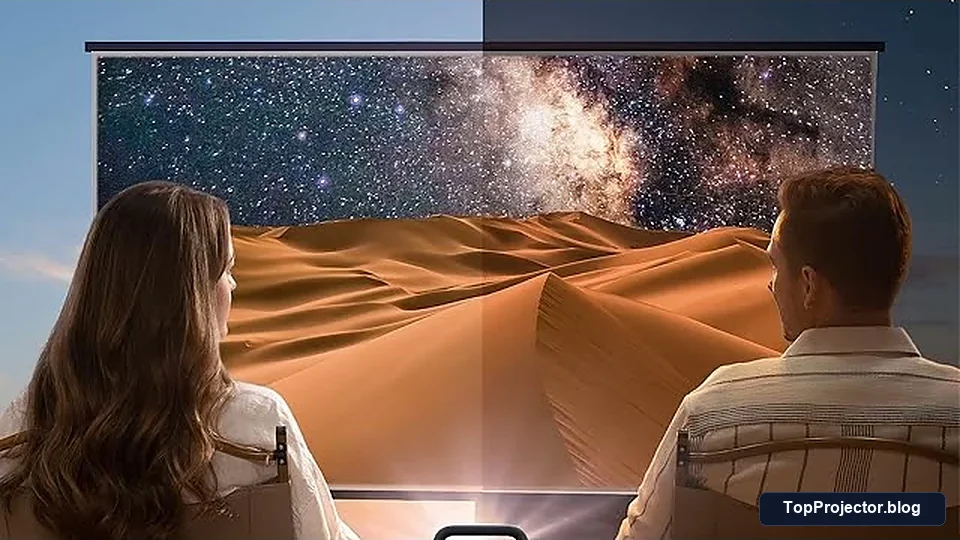
Ambient light quickly washes out lower-lumen portable projectors. Controlling your viewing environment remains mandatory if you expect saturated colors and perceptible contrast from either of these compact projection systems during daytime viewing sessions.
Evaluating real ANSI lumens requires strict dark-room testing because portable LED units often inflate manufacturer ratings beyond actual output. In ambient daylight, both models struggle unless paired with specialized ambient light rejecting screens.
- Acer C250I utilizes a standard LED light source.
- Anker Nebula offers multiple brightness tiers depending on model.
- Daytime viewing demands complete window blackout for optimal saturation.
- Peak white luminance drops significantly when switching from Standard mode to Cinema presets.
- Battery-powered operation intentionally dims the laser diode to extend total runtime.
Daylight Living Rooms Versus Pitch-Black Dedicated Home Theaters
Pitch-black dedicated home theaters allow both portable projectors to excel. However, introducing ambient living room lighting degrades the perceived black level, flattening dynamic range and washing out delicate shadow details across screens.
Consulting a reliable thx projector screen size calculator helps determine ideal surface dimensions. Without specialized optical fabric, daytime performance suffers dramatically under unmanaged sunlight or overhead ceiling fixtures.
- Dedicated dark rooms maximize perceived native contrast.
- Living room daylight requires specialized projection surfaces.
Daytime Viewing Realities
Controlling ambient illumination remains mandatory for acceptable contrast retention during daytime sessions. Closing blackout curtains transforms a washed-out image into a vibrant cinematic experience utilizing roughly 300 ANSI lumens.
- Direct sunlight completely overwhelms both ultra-portable projection engines instantly.
Black Floor Depth, Native Contrast, and Shadow Rendering
Native contrast ratios dictate how deeply blacks render during cinematic sequences. The Acer C250I delivers respectable baseline dark levels, though dark scenes occasionally exhibit a slight gray haze under low-light testing environments.
Anker Nebula units often incorporate advanced dynamic black algorithms. These software optimizations artificially boost perceived contrast ratios, enhancing visual punch during high-contrast movie scenes despite inherent single-chip DLP limitations.
Measuring native contrast ratios reveals how well dark scenes retain shadow detail without washing out to muddy gray. Portable architectures rely on DLP micro-mirrors that inherently produce moderate black floor levels.
- Native contrast relies heavily on optical light engines.
- Dynamic black algorithms improve perceived shadow depth.
- Low ANSI contrast struggles become painfully obvious during dimly lit cinematic night sequences.
- Dynamic iris adjustments help mitigate native shortcomings but introduce distracting brightness pumping.
Evaluating Shadow Detail in Dark Cinematic Sequences
Dark movie scenes reveal the true capabilities of DLP micro-mirrors. Both projectors maintain decent grayscale steps, but fine shadow gradations can occasionally crush into absolute black without careful gamma calibration.
Calibrating your target color space ensures visible differentiation in dark cinematic sequences. Users should adjust brightness settings to prevent shadow clipping during critical movie nights in controlled rooms.
- Grayscale steps determine shadow separation.
- Gamma calibration prevents crushing dark details.
Shadow Rendering Under Bat Cave Conditions
Achieving optimal shadow depth demands a pitch-black room configuration free of reflective white walls. Under these ideal conditions, shadow details emerge with surprising clarity despite limited native contrast.
- Matte black wall paint drastically improves perceived black levels over standard drywall.
Throw Geometries, Screen Sizing, and Spatial Immersion
Throw ratios determine the physical distance required to project a massive cinematic image. The Acer C250I features a unique barrel design allowing effortless rotation, including innovative portrait mode projection for smartphone content.
Anker Nebula projectors generally stick to standard landscape throw geometries. This traditional approach integrates seamlessly with conventional tripod mounts and fixed frame projection screens inside dedicated media rooms.
Calculating exact throw ratios determines your maximum screen diagonal without suffering severe pixel degradation. Placing these portable units too far back stretches native 1080p resolution past comfortable pixel density limits.
- Acer C250I supports innovative portrait orientation.
- Anker Nebula maintains traditional landscape throw ratios.
- Short throw distances produce punchy images but severely limit maximum display sizing options.
- Keystone correction severely degrades pixel sharpness when projecting from off-axis angles.
Maximizing Screen Immersion in Compact Living Spaces
Pairing your hardware with the best screen for laser projector ensures optimal optical geometry. Proper positioning prevents severe pixel degradation while maximizing your total image diagonal.
Calculating the optimal viewing distance ensures maximum cinematic immersion without exposing pixel structure or reducing pixel density on your projection surface during extended viewing sessions.
- Throw distance dictates maximum diagonal image size.
- Pixel structure visibility limits maximum proximity.
Spatial Immersion and Screen Pairing
Pairing a portable projector with a high-gain pull-up screen maximizes perceived brightness significantly. Maintaining a standard 1.2 gain surface balances off-axis viewing cones while preserving center punch.
- Fixed-frame acoustically transparent screens offer the cleanest tensioned optical flat surface.
Color Accuracy, Gamma Tracking, and HDR Processing
Accurate color reproduction transforms standard video feeds into immersive cinematic experiences. The Acer C250I provides balanced default color presets, though skin tones may require minor manual tint adjustments for absolute accuracy.
Anker Nebula projectors frequently feature robust color management systems and better HDR processing capabilities. These features allow compatible streaming sources to display wider color gamuts without noticeable banding.
Achieving precise Rec. 709 color accuracy requires navigating aggressively oversaturated factory presets. Running our screen size viewing distance tool ensures your seating geometry aligns correctly with these expanded gamuts.
- Default color presets impact initial setup ease.
- HDR processing improves dynamic range handling.
- HDR tone mapping on these compact engines frequently clips highlight details in bright sky scenes.
- Shifting color temperature settings toward warm warm-50 restores natural skin tone fidelity.
Handling Wide Color Gamuts and High Dynamic Range Content
Modern streaming services push massive amounts of high dynamic range metadata. Portable projectors must tone-map these signals carefully to preserve highlight details without blowing out bright cinematic elements.
While neither unit replaces the formovie cinema edge review benchmark, Anker Nebula handles complex color grading slightly better during demanding mixed-lighting cinematic sequences.
- Tone mapping preserves bright highlight details.
- Color grading management prevents visual clipping.
Gamma Tracking and HDR Nuances
Standard gamma tracking values around 2.2 ensure balanced shadow graduation throughout mixed media playback. HDR processing acts primarily as a compatibility flag rather than a true high-dynamic-range display.
- SDR content consistently looks more balanced than forced HDR streams.
Motion Handling, Input Latency, and Casual Gaming
Fast-paced gaming requires minimal input lag and robust motion interpolation. The Acer C250I offers acceptable latency for casual puzzle games, though fast shooters might expose minor input delays.
Anker Nebula models often integrate streamlined firmware with dedicated low latency modes. This optimization makes them superior choices for connecting modern consoles like the PlayStation or Xbox.
Measuring exact input latency is vital for responsive platformer gaming and fast-paced console action titles. Processing lag directly impacts competitive twitch reflexes when connecting modern gaming hardware via HDMI.
- Input lag impacts competitive gaming responsiveness.
- Motion interpolation reduces cinematic judder artifacts.
- Disabling advanced keystone correction features helps shave precious milliseconds off total display latency.
- Motion interpolation introduces noticeable soap-opera artifacts and should remain permanently disabled.
Console Gaming Performance Versus Cinematic Motion
Reviewing motion handling involves testing 24fps movie judder and high-refresh gaming feeds. Both projectors process standard video frames smoothly, avoiding excessive stutter during rapid camera pans.
Gamers should verify specific port specifications to ensure optimal refresh rates and minimal controller latency during intense multiplayer sessions in living room environments.
- 24fps movie playback requires smooth cadence handling.
- Multiplayer gaming demands low controller latency.
Casual Gaming Performance
Casual split-screen gaming remains entirely viable once game mode optimizations are manually engaged. Expect reasonable input lag figures that comfortably satisfy casual players without severe controller disconnect.
- Fast-paced competitive shooters still demand traditional low-latency gaming monitors instead.
Setup Automation, Keystone Mechanics, and Room Integration
Physical installation complexity dictates daily usability. The Acer C250I relies on manual adjustments combined with its innovative rotating stand, giving users tactile control over projection angles.
Anker Nebula models excel through advanced automated features like auto keystone correction and autofocus. These motorized systems calibrate geometry instantly when moving the projector between rooms.
Modern setup automation relies on integrated gyro sensors to instantly execute auto-vertical keystone adjustments. While convenient, heavy digital correction interpolation pixels reduce overall sharpness noticeably across projected edges.
- Manual adjustments offer precise physical control.
- Automated keystone correction saves valuable setup time.
- Manual tripod placement beats digital keystone correction every single time for image clarity.
- Auto-focus routines occasionally hunt for edges if projected onto textured wall surfaces.
Seamless Portability and Daily Room Integration
Portable projectors live or die by their physical convenience. Transporting devices between the bedroom, living room, and backyard patio requires durable chassis construction and reliable power options.
Anker Nebula units generally provide integrated smart operating systems, reducing the need for external streaming sticks during casual backyard movie nights.
- Chassis durability protects internal optical components.
- Integrated smart platforms reduce external cable clutter.
Seamless Room Integration
Integrating compact projectors into living spaces requires balancing cooling fan acoustics with speaker placement. High-altitude fan modes increase fan noise noticeably during intense multi-hour movie marathon viewing sessions.
- Acoustically isolating the projector shelf reduces distracting high-frequency mechanical whines.
Final Verdict Scenarios and Definitive Buying Guidance
Choosing between these popular portable projectors depends entirely on your primary usage habits. If you stream vertical smartphone video or demand unique angle flexibility, the Acer C250I shines brightly.
Conversely, buyers prioritizing automated setup, smarter operating systems, and superior living room brightness should invest in the Anker Nebula lineup for maximum everyday satisfaction.
Synthesizing optical benchmarks points towards distinct use-case scenarios for each ultra-portable contender. Prioritizing versatile form-factors or superior connectivity dictates which specific model ultimately wins your investment.
- Acer C250I suits flexible angles and portrait content.
- Anker Nebula fits automated living room streaming.
- Choose the Acer alternative if multi-angle portrait projection flexibility ranks high on your priorities.
- Select the Anker competitor when seeking superior software integration and polished remote controls.
Making Your Final Purchasing Decision With Confidence
Evaluate your primary room lighting and content sources before purchasing. Dedicated home theater enthusiasts might outgrow portables quickly, but casual viewers will appreciate the compact convenience.
Prioritize your specific feature requirements, whether that means advanced keystone automation or unique physical form factors for creative projection spaces.
- Assess room lighting conditions carefully before buying.
- Match projector features to your primary media sources.
Definitive Buying Guidance
Evaluating total system value means weighing battery longevity against sustained optical brightness during off-grid sessions. Prioritize your specific viewing environment before finalizing any final purchasing decisions today.
- Dedicated dark rooms favor brightness output over smart platform UI polish.
Frequently Asked Questions
Can I use these portable projectors in a brightly lit living room?
Daylight viewing remains challenging for both models due to limited lumen outputs. You must control ambient room lighting or invest in an ambient light rejecting screen for satisfactory saturation.
Does the Acer C250I support standard landscape projection?
Yes, the Acer C250I supports traditional landscape mode alongside its unique rotating barrel. This versatile design allows seamless switching to portrait projection for mobile application content.
Which projector is better suited for casual console gaming?
Anker Nebula models generally provide superior input latency and streamlined smart firmware. This makes them better equipped for casual console gaming sessions without noticeable controller lag.
Do I need external streaming sticks with these projectors?
Many Anker Nebula variants feature built-in smart operating systems for native app streaming. The Acer C250I typically requires an external HDMI source like a streaming stick for media playback.
How does auto keystone correction work on these units?
Advanced internal sensors detect physical tilt angles and automatically square the image. This automated geometry correction saves considerable setup time when moving between different rooms.