1080P Projector vs. 4K Projector: Which Wins for Your Room?
Choosing between native or pixel-shifted 1080p and ultra-sharp 4K hinges on your room lighting, throw distance, and screen size. Our optical breakdown reveals the ideal resolution for your specific home theater environment.
Choose a 1080p projector for budget-friendly gaming with ultra-low input lag, but invest in a 4K projector for supreme screen-door elimination and massive cinematic immersion in dedicated home theaters.
Compare full category rankings in our Best Outdoor Projector And Screen: Top Backyard Picks.
Side-by-Side Specification Breakdown
| Criteria | 1080P Projector | 4K Projector | Edge |
|---|---|---|---|
| Ambient Light Rejection | Struggles in rooms with high ambient light due to lower baseline lumen output. | High-lumen models excel when paired with ALR screens in lit living rooms. | 4K Projector |
| Black Levels & Perceived Contrast | Standard native contrast ratios typically range from 1,000:1 to 5,000:1. | Advanced laser engines deliver deeper black floors and dynamic iris control. | 4K Projector |
| Peak Brightness & HDR Punch | Typically capped under 2,500 ANSI lumens, limiting HDR specular highlight impact. | Frequently exceeds 3,000 ANSI lumens for striking HDR highlights and wide color gamuts. | 4K Projector |
| Screen Size & Immersion | Best suited for screen sizes under 120 inches before pixel structure becomes visible. | Maintains seamless pixel density on massive 150-inch projection surfaces without grid lines. | 4K Projector |
| Viewing Angles & Uniformity | Dependable lens optics with minimal chromatic aberration on standard focal lengths. | Complex multi-element glass lenses demand precise focus uniformity across wide angles. | 1080P Projector |
| Gaming Motion & Input Lag | Frequently achieves sub-16ms input lag at 1080p/120Hz for competitive gaming. | Modern pixel-shifters offer fast response times, though older units suffer higher input latency. | 1080P Projector |
| Room Setup & Maintenance | Compact chassis, simpler lamp replacements, and forgiving manual zoom ratios. | Heavier chassis with motorized lens shift requiring precise throw distance calculations. | 1080P Projector |
Optical Resolution, Pixel Structure & Screen Door Effects
Traditional 1080p projectors rely on a fixed 1920x1080 grid, which works wonderfully for standard high-definition broadcasts and older console games.
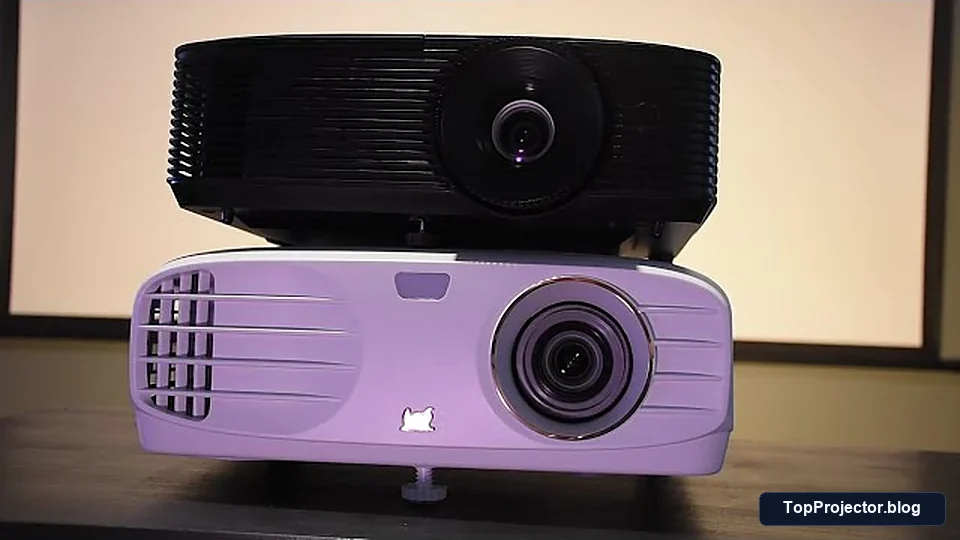
However, sitting close to a large projection surface reveals the visible pixel grid, often referred to as the screen door effect.
Modern 4K projectors utilize native panels or high-speed pixel shifting to project 8.3 million distinct pixels onto your screen.
This density eliminates grid visibility, letting viewers sit closer to massive screens without sacrificing fine textural details or sharpness.
Native 4K DLP XPR chips eliminate visible pixel grids at normal seating distances, whereas standard 1080p projectors often expose a distracting grid structure on screens exceeding 120 inches diagonal.
- 1080p projectors feature two million physical pixels.
- 4K models multiply resolution by four for ultra-fine clarity.
- Screen door effect disappears entirely on 4K systems.
- Higher fill factors reduce visible pixel structure cleanly.
- Smaller native pixel pitch enhances overall image depth.
Seating Distance and Pixel Density Dynamics
Always test our screen size and viewing distance tool to map out precise seating geometries and avoid exposing pixel structures on large projection surfaces.
With 1080p resolution, sitting closer than 1.5 times the screen width exposes individual pixel boundaries.
Higher-resolution 4K displays permit much closer seating ratios without compromising image integrity or clarity.
- Closer seating demands 4K pixel density.
- 1080p requires further back placement for smooth images.
Sub-Pixel Alignment and Sharpness
Quad-phase shifting technology delivers near-native clarity, but true single-chip native panels maintain superior MTF performance for ultra-fine text rendering and complex CAD workloads.
- Pixel fill factor directly dictates perceived contrast.
- Glass optics prevent thermal drift during long view sessions.
Black Levels, Dynamic Range & Shadow Detail Performance
Achieving deep black levels is critical for cinematic depth, directly influencing your perceived contrast ratio during dark movie scenes.
Budget 1080p models often suffer from elevated black floors, turning deep space scenes into a washed-out charcoal gray.
High-end 4K projectors integrate advanced laser diode engines and dynamic irises to crush black levels convincingly.
This optical precision preserves subtle shadow details in complex cinematic sequences without crushing the darker elements.
Native ANSI contrast ratios separate elite home theater units from entry-level displays, with high-end LCoS panels achieving deep blacks far exceeding budget DLP engines.
- Black floor depth dictates night-scene realism.
- Laser light engines improve native contrast significantly.
- Shadow details remain visible in dark sequences.
- Black floor performance defines overall cinematic immersion levels.
- Panel technology dictates native contrast ceilings significantly.
Evaluating Native Contrast Versus Dynamic Iris Control
You should consult our Epson projector calculator to determine exact throw distances and optimal screen sizing required to maximize your native contrast potential in dark rooms.
Dynamic iris systems physically modulate light output to enhance dark scenes, though they can cause visible brightness pumping.
Selecting a projector with high native contrast ensures natural shadows without relying on distracting algorithmic adjustments.
- Native contrast provides consistent shadow performance.
- Dynamic irises boost contrast but risk brightness shifts.
Dynamic Iris Limitations
Dynamic irises boost sequential contrast metrics significantly, yet they frequently introduce audible mechanical pumping and jarring gamma shifts during rapid lighting transitions in dark rooms.
- Laser dimming offers instantaneous black-level floor reduction.
- Native panel contrast remains king for mixed content.
Ambient Light Rejection & Peak ANSI Lumens Output
Projecting in rooms with uncontrolled ambient light demands high peak ANSI lumens to maintain vibrant color saturation.
Most standard 1080p home theater projectors cap out around two thousand lumens, struggling against daytime living room light.
For instance, our Sony VPL-XW5000ES review highlights how elite laser light engines deliver exceptional brightness and deep blacks without regular lamp replacements.
Matching your projector's lumen output to your room's lighting conditions prevents washed-out images during afternoon viewing sessions.
Achieving punchy HDR in bright living rooms requires at least 2500 ANSI lumens paired with a specialized ALR screen featuring a 0.8 gain rating to reject off-axis ceiling illumination effectively.
- Ambient light washes out low-lumen projectors.
- High lumen output preserves daytime contrast.
- ALR screens enhance perceived black levels.
- High-lumen engines overcome ambient room washing effects.
- Specialized optical coatings trap stray ambient light successfully.
Pitch-Black Theater Versus Living Room Daylight Performance
Dedicated subterranean media rooms with dark velvet walls eliminate light reflections, favoring high contrast over brute-force brightness.
Living rooms with white ceilings require high lumen output and ambient light rejecting fabric to maintain contrast.
Understand your room's reflective properties before prioritizing absolute resolution over sheer optical punch.
- Dedicated theaters prioritize contrast and black floors.
- Living rooms demand high lumens and ALR screens.
Screen Gain Versus Viewing Cones
High gain surfaces amplify hotspot artifacts severely, restricting your horizontal viewing cone and ruining uniformity for seated viewers positioned off-center in wider media rooms.
- Ambient light rejecting materials preserve black saturation effectively.
- High lumen output washes out contrast without proper masking.
Color Gamut Tracking, Calibration & HDR Tone Mapping
High dynamic range content requires wide color gamuts that push beyond traditional Rec.709 color space boundaries.
Standard 1080p projectors typically support basic color spaces, lacking the specialized filters needed for DCI-P3 coverage.
Advanced 4K projectors utilize phosphor wheels and multi-color lasers to accurately map wide color gamuts for HDR content.
Effective onboard tone mapping ensures bright highlights pop without clipping crucial details in complex glowing light sources.
Accurate Rec.709 calibration demands robust CMS controls, while wider DCI-P3 color spaces require internal cinematic color filters that unfortunately sacrifice up to 30 percent of peak white brightness.
- Rec.709 suffices for standard definition streaming.
- DCI-P3 color gamuts unlock vibrant HDR palettes.
- Tone mapping prevents blown-out bright highlights.
- Wide color filters reduce total lumen output efficiency.
- Precise grayscale tracking prevents unwanted color tints.
Color Accuracy Out of the Box and Calibration Needs
Professional calibration transforms an average projector into an accurate cinematic display matching director intents.
Many 4K units offer robust color management systems allowing precise greyscale tracking and Delta E tuning.
Out-of-the-box accuracy varies wildly, making review measurements essential for discerning home theater enthusiasts.
- Color management systems enable precise tuning.
- Greyscale calibration ensures natural skin tones.
Dynamic Tone Mapping Hardware
Modern video processors analyze incoming HDR metadata frame by frame, optimizing highlight clipping and shadow detail dynamically without requiring manual user intervention during playback.
- Laser light sources maintain stable calibration drift profiles.
- Colorimeters are essential for precise white point targets.
Motion Processing, Refresh Rates & Competitive Input Lag
Fast-moving sports and action sequences require robust motion interpolation to eliminate judder and blur.
Many 1080p gaming projectors excel here, delivering ultra-low input lag under 16 milliseconds at 120Hz.
Some 4K projectors introduce higher processing latency due to complex pixel-shifting algorithms and scaling pipelines.
Competitive gamers should prioritize input response speed over resolution to ensure instant controller-to-screen feedback.
Competitive gaming requires ultra-low input lag measurements dropping below 15 milliseconds at 1080p/120Hz, whereas 4K gaming modes often incur higher processing delays due to heavy scaling algorithms.
- Low input lag prevents frustrating gaming delays.
- High refresh rates smooth out fast camera pans.
- Motion interpolation reduces cinematic motion blur.
- High refresh rates reduce noticeable controller input delay.
- Fast response times prevent motion blur during gaming sessions.
Console Gaming Versus Cinematic Immersion Trade-Offs
Modern gaming consoles demand high refresh rates and low latency for twitch-based competitive multiplayer titles.
Cinematic movie viewing prioritizes 24fps film cadence processing and rich color fidelity over raw responsiveness.
Identify your primary usage ratio before compromising on gaming speed or resolution clarity.
- Consoles need low latency and high refresh rates.
- Movies require accurate 24fps cadence handling.
Frame Interpolation Artifacts
Motion interpolation smoothens 24fps cinematic judder effectively, but it routinely generates distracting halo artifacts around fast-moving objects and triggers the dreaded soap opera effect.
- High refresh rate panels reduce sample-and-hold motion blur.
- Dedicated gaming modes bypass unnecessary video processing pipelines.
Throw Ratios, Optical Zoom & Installation Geometry
Calculating your room's throw distance ensures the projected image fills your screen without digital keystone degradation.
Most 1080p and 4K units offer versatile optical zoom lenses, but premium models feature motorized lens shift.
Lens shift lets you offset the projector vertically or horizontally without distorting geometry or sacrificing resolution.
Always measure your ceiling height and throw throw-to-width ratio before purchasing a fixed-lens projection system.
Calculating precise throw ratios prevents costly mounting errors, with short-throw optics enabling 100-inch images from mere feet away while standard lenses demand deeper rooms for proper sizing.
- Throw ratios dictate projector placement distance.
- Lens shift simplifies physical ceiling mounting.
- Avoid digital keystone correction to preserve sharpness.
- Throw distance dictates maximum achievable screen dimensions.
- Optical zoom flexibility helps bypass challenging room layouts.
Short-Throw Versus Standard-Throw Positioning Challenges
Short-throw projectors sit inches from the screen, eliminating shadowing issues in tight media rooms.
Standard-throw models require ceiling mounts across the room, demanding careful cable management and long HDMI runs.
Assess your physical room layout to determine which optical throw geometry fits your mounting constraints.
- Short-throw units mount near the screen wall.
- Standard-throw requires ceiling placement across rooms.
Lens Shift Versatility
Generous optical lens shift ranges eliminate the need for severe digital keystone correction, preserving native pixel integrity and maximum resolution without introducing compression artifacts.
- Motorized focus streamlines ceiling mount fine-tuning procedures.
- Zoom ratios dictate exact projector placement flexibility indoors.
Definitive Room-by-Room Buying Verdict
Selecting between these two projector categories ultimately depends on your budget, room lighting, and content preferences.
Choose a 1080p projector if you want responsive, low-lag gaming and casual movie nights without excessive equipment costs.
Invest in a 4K projector if you demand ultimate sharpness, vibrant HDR color, and theater-sized immersion in a controlled space.
Matching optical specifications to your specific environmental constraints guarantees years of breathtaking home entertainment satisfaction.
Dedicated dark-room theaters favor native LCoS contrast and high-precision 4K optics, whereas bright multipurpose family rooms demand high-lumen laser engines paired with specialized ambient light rejection screens.
- 1080p wins for budget gaming and simplicity.
- 4K dominates for large screens and HDR fidelity.
- Room lighting dictates your final hardware choice.
- Room environment dictates the optimal hardware technology choice.
- Contrast performance matters most in fully controlled spaces.
Final Checklist for Your Home Theater Investment
If you want portable entertainment outside, evaluate our best outdoor projector and screen options for proper brightness levels and rugged portability before finalizing your backyard setup.
Prioritize native contrast and lumen output if your room features uncontrolled daylight and white reflective walls.
- Measure room dimensions and lighting accurately.
- Balance resolution needs with your budget limits.
Ultimate Hardware Summary
Match your projector investment directly to your worst ambient light scenario and maximum screen size to ensure long-term satisfaction without optical compromises.
- Prioritize panel contrast for dark controlled environments.
- Prioritize lumen output for unmanaged living room spaces.
Frequently Asked Questions
Can a 1080p projector handle modern 4K gaming consoles effectively?
Yes, modern 4K consoles easily downscale their video output to 1080p while offering ultra-low input lag and high refresh rates for competitive gaming sessions.
Is the difference between 1080p and 4K noticeable on a 100-inch screen?
At a standard 100-inch screen size, the jump to 4K resolution becomes clearly noticeable in fine textures and the complete absence of pixel grid lines.
Do 4K projectors require specialized high-speed HDMI cables for setup?
Yes, native 4K signals demand certified 18Gbps or 48Gbps HDMI cables or optical fiber connections to prevent signal dropouts across long ceiling runs.
How many ANSI lumens do I need for a projector in a lit living room?
You should look for at least 3,000 ANSI lumens and pair your projector with an ambient light rejecting screen to combat daytime daylight wash.
Do pixel-shifted 4K projectors look as sharp as native 4K models?
Pixel-shifted units deliver exceptional perceived sharpness that closely rivals native 4K panels while maintaining a much more accessible price point for enthusiasts.