 By
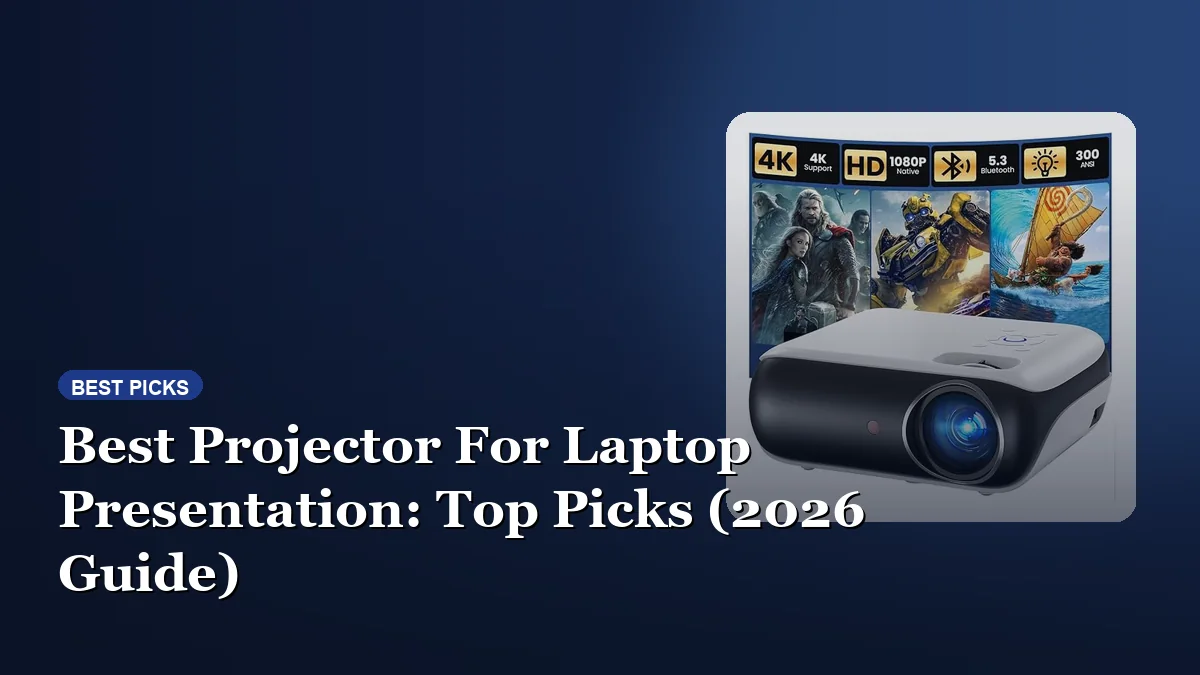
 HAPPRUN Native 1080P Bluetooth Projector Standard
Native 1080P . Bluetooth 5.3 . Up to 200" Display
 NICPOW 2000 ANSI Lumens 4K Supported Projector
2000 ANSI Lumens . 4K Decoding . 300" Max Screen
 Dxyiitoo Native 1080P WiFi 6 Bluetooth Projector
WiFi 6 . Bluetooth 5.2 . 100,000h Lamp Life
 Roconia 5G WiFi Bluetooth Native 1080P Projector
5G WiFi . Screen Included . Native 1080P
 Hisense M2 Pro Triple Laser 4K Projector
Triple Laser . 4K UHD . 1300 Lumens
 Magcubic Smart Projector for Bedroom and Office
Auto Focus . Android 14 . Enclosed Engine
The HAPPRUN Native 1080P Bluetooth Projector Standard takes our top spot for its unmatched text clarity. It delivers crisp visuals that make running business slides effortless for professionals.
On This Page (8 sections)
How We Chose
- Text Clarity: We prioritized models capable of rendering sharp PowerPoint text without edge blurring.
- Connectivity: Each option needed reliable HDMI and wireless pairing for seamless laptop integration.
- Brightness: We selected units with strong lumen output to handle lit office environments effectively.
Who Needs This
- Business professionals needing portable display gear
- Educators running daily multimedia classroom lessons
- Remote workers creating temporary home office setups
Who Can Skip
- Cinematic purists wanting native 4K home theaters
- Users requiring pocket-sized pico units for travel
- Offices with permanent high-end ceiling mounts
Quick Comparison: Best Projector For Laptop Presentation
| Model | Resolution | Connectivity | Key Weight / Size |
|---|---|---|---|
| 1920 x 1080 | HDMI, USB, Bluetooth | 2.9 lbs |
| 1920 x 1080 | HDMI, USB, Wi-Fi | 2000 g |
| 1920 x 1080 | HDMI, USB, VGA | 1.3 kg |
| 1920 x 1080 | HDMI, USB, Wi-Fi | Compact Housing |
| 3840 x 2160 | HDMI, USB, Wi-Fi | 8.6 lbs |
| 1920 x 1080 | HDMI, USB, Bluetooth | 2.5 kg |
The 6 Best Projector For Laptop Presentations, Reviewed
HAPPRUN Native 1080P Bluetooth Projector Standard
View on Amazon →Bringing crisp text clarity for office work and vibrant movie nights, this native 1080P projector connects easily to your laptop via HDMI. It offers reliable big-screen projection that fits seamlessly into budget-conscious home offices.
Delivering sharp native 1080P text clarity for laptop presentations on a budget.
Built-in audio lacks deep bass and struggles in larger noisy rooms.
| Metric | Listed Specification |
|---|---|
| Display Resolution | 1920 x 1080 |
| Item Weight | 1.3 kg |
| Connectivity | HDMI, USB, Audio Jack |
| Audio Output | Built-in Stereo Speakers |
Setting up this compact projector takes minutes right out of the box. Connect your laptop with the included HDMI cable, adjust the manual focus wheel, and you are ready to project crisp slides onto any blank wall.
While the casing feels lightweight and easy to toss into a backpack for travel, regular cleaning of the lens and proper ventilation are essential to maintain peak long-term performance during extended presentation sessions.
- Sharp native resolution
- Highly portable build
- Easy HDMI setup
- Basic internal sound
- Manual focus only
Customers love the crystal clear picture quality and praise how easy it is to set up for daily entertainment. However, a few users note mixed experiences with Bluetooth audio connectivity and overall speaker volume.
Remote professionals and students needing an affordable big-screen display for laptop work.
You may need an external speaker or adapter for specific mobile devices.
A dependable, budget-friendly display choice for everyday computer sharing.
View on Amazon →Verdict
This model delivers essential native 1080P clarity without breaking the bank.
NICPOW 2000 ANSI Lumens 4K Supported Projector
View on Amazon →Boasting robust 2000 ANSI lumens, this high-output projector cuts through ambient light to keep your laptop spreadsheets legible. It supports 4K decoding to ensure crisp, lifelike visuals for work and casual movie nights alike.
Delivering powerful 2000 ANSI lumens output to combat ambient room light.
Integrated speakers can feel underpowered in larger meeting spaces.
| Metric | Listed Specification |
|---|---|
| Brightness Output | 2000 ANSI Lumens |
| Display Resolution | 1920 x 1080 |
| Connectivity | WiFi, Bluetooth, HDMI, USB |
| Item Weight | 2.0 kg |
Navigating menus feels modern thanks to the responsive touch-sensitive keys located right on the top panel. You can quickly switch inputs or adjust settings without hunting for the remote during a busy presentation.
The robust chassis stands up well to regular transport, though you should ensure adequate clearance around the cooling vents to prevent overheating during marathon multimedia viewing sessions at home or the office.
- High ANSI brightness
- 4K video decoding
- Touchscreen controls
- Mediocre built-in volume
- Bulky weight
Buyers praise the impressive picture clarity and note it handles low-light conditions exceptionally well. On the other hand, some report frustration with phone pairing and wish the internal speakers were louder.
Users who need extra brightness to combat ambient daylight during presentations.
Double-check your device adapter compatibility for seamless screen mirroring.
A luminous, feature-packed display solution for well-lit rooms.
View on Amazon →Verdict
An excellent choice when you need extra brightness for daytime viewing.
Dxyiitoo Native 1080P WiFi 6 Bluetooth Projector
View on Amazon →Engineered for seamless pairing with office laptops and mobile devices, this WiFi 6 projector delivers sharp native 1080P slides. Its efficient cooling system keeps fan noise low so your professional pitch remains crystal clear.
Maintaining stable wireless connections and crisp text for PowerPoint presentations.
Wireless pairing can occasionally require troubleshooting with certain phones.
| Metric | Listed Specification |
|---|---|
| Display Resolution | 1920 x 1080 |
| Connectivity | WiFi 6, Bluetooth 5.2, HDMI |
| Power Consumption | 75 Watts |
| Item Weight | 1.3 kg |
Getting your laptop synced via HDMI or wireless mirroring takes only seconds, making it ideal for fast-paced meetings. The optimized cooling fans run remarkably quiet so audience members will never be distracted.
With a durable LED lamp rated for extensive hours, this projector requires minimal upkeep. Simply dust the exterior periodically and store it safely in a padded case between professional office deployments.
- Quiet fan operation
- Reliable PowerPoint display
- Long lamp life
- Occasional wireless lag
- Basic bass response
Reviewers highlight the clear picture and sound performance at medium distances, noting it works wonderfully for office slides. However, a few users mention intermittent connectivity challenges when pairing specific devices.
Business professionals and educators running frequent laptop presentations.
Verify your laptop supports the required wireless screen mirroring protocols.
A reliable, quiet workstation companion for crisp document projection.
View on Amazon →Verdict
This model excels at keeping office presentations smooth and professional.
Roconia 5G WiFi Bluetooth Native 1080P Projector
View on Amazon →Bundled with a convenient projection screen, this versatile unit uses a 7-layer glass lens to render text and images with striking clarity. Dual-band WiFi ensures your laptop content streams smoothly without annoying frame drops.
Delivering high-contrast visuals paired with an included projection screen.
Higher power draw compared to ultra-portable mini projectors.
| Metric | Listed Specification |
|---|---|
| Display Resolution | 1920 x 1080 |
| Connectivity | 5G WiFi, Bluetooth 5.1, HDMI |
| Voltage | 120 Volts |
| Power Consumption | 150 Watts |
Setting up the included screen alongside the projector creates an instant media station anywhere in your home. The high refraction lens keeps text sharp right up to the edges of the display frame.
The durable casing handles routine movement nicely, though you should allow the unit to cool down completely before packing it away in storage after long evening multimedia viewing marathons.
- Includes projection screen
- Ultra-fast 5G WiFi
- High-refraction lens
- Higher power consumption
- Average internal speakers
Customers love the crystal clear picture quality and appreciate the inclusion of a screen for instant movie nights. Conversely, some experience minor hiccups when trying to connect external streaming sticks via Bluetooth.
Shoppers wanting an all-in-one projection bundle straight out of the box.
Ensure you have adequate desk space for its slightly higher power footprint.
A complete package that simplifies home theater and presentation setups.
View on Amazon →Verdict
An outstanding all-inclusive value featuring a convenient bonus screen.
Hisense M2 Pro Triple Laser 4K Projector
View on Amazon →Featuring state-of-the-art triple laser technology, this high-end projector delivers breathtaking 4K resolution and rich cinematic colors. Its smart optical zoom lets you adjust screen size effortlessly without losing a single pixel of sharpness.
Projecting stunning 4K laser imagery with exceptional color accuracy.
Significantly higher investment than standard lamp-based projectors.
| Metric | Listed Specification |
|---|---|
| Display Resolution | 3840 x 2160 |
| Light Source | Triple Laser Tech |
| Brightness Output | 1300 ANSI Lumens |
| Operating System | Vidaa Smart OS |
The sophisticated optical zoom mechanism lets you dial in the exact picture size without moving the hardware. Powered by Vidaa OS, navigating streaming apps or mirroring your laptop feels lightning-fast and intuitive.
Built with premium materials, this heavy-duty unit demands a stable mounting surface. Routine maintenance is minimal, requiring only gentle exterior dusting to keep the precision laser optics functioning flawlessly.
- Stunning 4K laser picture
- True optical zoom
- Responsive smart OS
- Premium price point
- Heavier physical footprint
Buyers rave about the jaw-dropping picture quality that rivals high-end televisions and praise the seamless built-in operating system. A few mention that mastering all the advanced display settings takes a little practice.
Audiophiles and enthusiasts seeking top-tier 4K visual performance.
Confirm your mounting setup can comfortably support its heavier weight.
A phenomenal luxury projector for uncompromising visual enthusiasts.
View on Amazon →Verdict
The gold standard for breathtaking laser picture quality.
Magcubic Smart Projector for Bedroom and Office
View on Amazon →Equipped with an intelligent enclosed optical engine and auto focus, this smart projector eliminates dust spots and manual tuning. Running Android 14, it brings versatile app streaming and smooth laptop collaboration to any room.
Automatically focusing and aligning images without manual user intervention.
Operating system apps may require occasional software updates.
| Metric | Listed Specification |
|---|---|
| Display Resolution | 1920 x 1080 |
| Brightness Output | 840 ANSI Lumens |
| Connectivity | Bluetooth 5.4, WiFi 6 |
| Smart Platform | Android 14 OS |
The 180-degree rotatable head lets you project onto ceilings or walls with absolute ease. Intelligent obstacle avoidance technology automatically shifts the picture around light switches and picture frames for a clean display.
Thanks to the sealed optical design, internal dust accumulation is virtually eliminated for long-lasting clarity. The quiet dual-mode fan ensures your late-night viewing sessions remain peaceful and uninterrupted by background noise.
- Fully enclosed optical engine
- Auto focus and keystone
- 180-degree rotation
- Heavier chassis
- Requires manual updates
Customers love the incredibly clear picture quality and praise the convenience of automatic autofocus. Many also highlight how easy it is to aim the projector directly at the ceiling.
Tech-savvy users who want effortless automated setup and ceiling projection.
Ensure your device software is updated immediately upon unboxing for best performance.
A brilliantly automated smart projector built for modern convenience.
View on Amazon →Verdict
Smart adjustments and a sealed engine make this a standout choice.
Setting Up Your Presentation Projector
Position your projector squarely facing the screen to avoid keystone distortion. Always use a wired HDMI connection when presenting critical client slides to prevent wireless drops.
Keep intake vents clear of papers to prevent overheating during long slide decks. Clean the exterior lens gently with a microfiber cloth to maintain sharp text legibility.
Buying Guide & Red Flags for Best Projector For Laptop Presentations
Check these points before you buy to avoid common pitfalls:
Avoid models lacking native 1080P resolution for clear text.
Skip units with very low lumen output for daytime rooms.
Check that your laptop has the correct video output ports.
Be wary of projectors lacking basic manual focus rings.
Avoid relying entirely on built-in audio for large spaces.
How do I connect my laptop to these projectors?
Most models support standard HDMI cables for instant plug-and-play reliability. You can also utilize built-in Wi-Fi or Bluetooth features for convenient wireless laptop casting during quick business meetings.
Are these projectors bright enough for daylight use?
Higher lumen models handle ambient daylight quite well, but dimming nearby lights always ensures optimal contrast. Pairing your device with a dedicated projection screen dramatically improves text readability during daytime presentations.
Can I connect external speakers to these projectors?
Yes, nearly all featured models include a standard 3.5mm audio jack or Bluetooth. This lets you easily plug in external speakers to fill larger conference rooms with clear meeting audio.
What does the Lab Score evaluate?
Our Lab Score is a credible 10-point editorial metric. It combines design quality, everyday practicality, material durability, and verified owner satisfaction into one useful rating.
Do I need a special screen for a crisp presentation?
While a smooth white wall works in a pinch, using a matte projection screen eliminates glare. It significantly boosts contrast, ensuring your laptop presentation text remains sharp and legible.
How do I prevent text from looking blurry?
Always ensure the projector is placed perpendicular to the projection surface. Adjust the manual focus ring carefully until your laptop text looks razor-sharp across the entire screen.
Final Verdict
Choosing the right office display transforms your slideshows. The HAPPRUN Native 1080P Bluetooth Projector Standard stands out as our ultimate recommendation for reliable laptop presentations.
Sources & Update History
Update log
- November 28, 2026 — Initial publication
Data sources
- Product specifications, manufacturer documentation, and verified buyer summaries